Learn how to start a virtual assistant business step by step. Discover services to offer, how to price yourself, and the tools you need to succeed as a VA in 2026.
Key takeaways
- Virtual assistants can still make good money, but basic admin is largely automated now.
- Demand is shifting toward specialized, client-facing VA work like executive support, marketing, and customer success.
- Offshore VAs often charge $5 to $12 an hour, so the goal is not competing on rates but offering skills that are highly sought after.
To start a virtual assistant business, pick a specialization that's in demand, then build your entire offer around it. Set up AI tools to automate what you can while you focus on the more advanced work. Price your services based on your skills and results, and aim for quality instead of quantity.
The reason why you aim for quality is that the landscape has changed. VA work used to be mostly basic admin.
Now, that work is increasingly automated and offshored. Meanwhile, specialized, client-facing VAs are in high demand. Remote talent solutions firm Globaltize Recruitment Team confirms this shift, saying:
"Traditional administrative roles remain popular, but demand is shifting toward more specialized, client-facing talent with the rise of AI."
VAs are no longer operating in the shadows. They contribute to driving sales and profit, and for that, they need a particular set of skills. Here's everything you need to know about starting your own VA business in 2026.
What is a virtual assistant in 2026?
Virtual assistants (or VAs) are professionals who provide administrative, operational, or client-facing work for a business or individual, usually on a contract basis.
Seasoned virtual assistant Matthieu says the real value of a VA is in taking time-consuming tasks off a client’s plate and streamlining the way their business runs.
"CEOs and companies usually hire virtual assistants to take on tasks that eat up their time. A VA can also refine workflows and processes to make the way a business runs smoother and more efficient."
What clients hire VAs for now
The job of a virtual assistant has stayed the same at its core: it's still about helping clients. However, those clients can now get a lot done with a simple AI assistant instead.
AI tools can handle a lot of routine admin. This makes it harder to find steady, well-paying clients as a generalist VA, but also makes it easier to become the VA that AI can't replace.
| The tasks AI tools can handle | The work clients pay a VA for |
|---|---|
| Sorting and labeling the inbox | Deciding what the client needs to see, and replying on their behalf |
| Booking a meeting into an open slot | Juggling priorities when three urgent meetings collide |
| Logging new leads in a CRM | Following up with those leads and booking sales calls |
| Sending templated check-in emails | Onboarding new customers and keeping existing ones happy |
| Copying data between apps | Building the automations that do it for you |
AI can complete tasks. Virtual assistants can do them better and be held accountable for the results, and that's what clients are paying good money for now.
Where the demand is
Specialized VA jobs mark a departure from what the market was full of just a few years ago. Executive assistants will manage a founder's calendar, inbox, and priorities, essentially becoming an online PA.
They earn the trust of their client and are given the freedom to make judgment calls on their behalf in return. Globaltize recruitment team says they're "seeing the strongest demand for executive assistants, sales representatives, client success specialists, and VAs experienced with AI and automation."
And working in sales isn't reduced to just answering the phone. You'll research prospects, follow up with leads, keep the CRM up to date, and book calls for the sales team.
Meanwhile, client success VAs take care of onboarding new customers and ensuring they're happy throughout their stay with the company.
What ties all these different jobs together? In 2026, it's AI. As a VA, AI proficiency is critical, and your goal will be to automate as much as possible, both for yourself and for your clients.
Starting your VA business in 6 steps
Here's how to start a successful VA business in 2026, from choosing a specialization to finding clients and keeping them.
Step 1: Pick a specialization businesses are hiring for
Choosing your own niche has never been more important than it is now. The idea of being a "generalist" is dying out in many industries, and virtual assistants are feeling it more than ever.
"There's been a clear shift toward client-facing and revenue-generating roles, while basic administrative tasks are increasingly being automated." — Globaltize Recruitment Team
Generalist VAs take whatever comes in, working with a variety of clients. They may help with the inbox, some social media, some research. Unfortunately, that's the type of work that AI can now handle with ease.
Because of that, it's also the riskiest place to be.
Specialist VAs do one type of work for one type of client. That gets them much better rates. But just offering specialized services is only one part of the picture.
Ideally, try to niche down to a specific type of VA in a specific market. For instance, becoming a client success VA for SaaS startups tells clients that you know what they're about and will be quick to onboard.
Before you dive in and settle on one niche, do some market research and check that your specialization is viable. Are there people looking for VAs in your field? How much do they pay? How can you stand out?
Next, define your offer
Once you've picked your niche, a solid plan for your online business is the logical next step.
Here's what to include:
- Mission statement: Why you're diving into the virtual assistant market, and what makes you and your services different.
- Your services: The exact tasks you can complete for clients (e.g. email management, social media management, customer service, research, bookkeeping, appointment scheduling)
- Ideal client: Your dream customer or 'target persona'. Maybe it's small business owners, social media creators, or solopreneurs in specific industries.
- Marketing plans: Marketing strategies to attract clients: social media, blogging, networking, etc.
- Short-term goals: What you want to achieve in your first 3-6 months.
- Long-term goals: Your 1-3 year vision (more revenue, a bigger client base, new services).
- Business expenses: Consider setup costs, software, marketing, and whether you'll need a website.
The level of detail included in your business plan is totally up to you, but it should paint a clear picture of what your business stands for, where it aims to go, and how you'll get there.
Step 2: Build your AI and tool stack
Having some AI skills used to be the key to standing out in this industry, but now, clients tend to expect them as a baseline. Many run checks before hiring, so you'll want to jump in early and be prepared.
Globaltize Recruitment Team says:
"AI proficiency has quickly shifted from a nice-to-have to an almost non-negotiable requirement for many VA positions, with AI skills assessments becoming increasingly common."
The good news is that a solid stack doesn't cost a fortune, and AI skills are self-taught.
Beyond a computer, you need three things: an AI assistant, an automation tool, and a professional email address. If you're specializing in AI and automation, you'll also need an app builder.
| Tool | Type | What a VA uses it for | Price |
|---|---|---|---|
| Laptop | Hardware | Running calls, client tools, and AI apps side by side | One-off: about $500 to $750 for a 16GB Windows laptop, or $1,299 for a MacBook Air |
| Claude | AI assistant | Drafting emails and docs, summarizing calls, and research | Free plan; Pro is $20/month |
| Grok Bot | AI agent | Handing off multi-step tasks it works through in the background, like updating a CRM | Included with SuperGrok, from $30/month (beta) |
| Zapier | Automation | Connecting apps so routine tasks run on their own | Free plan; Professional from $19.99/month, billed annually |
| Lovable | AI app builder | Building simple client tools, like intake forms and dashboards, without code | Free plan; Pro is $25/month |
| Replit | AI app builder | Building and hosting custom tools and automations | Core from $18/month, billed annually |
| Google Workspace | Email and docs | A business email on your own domain, plus Docs, Sheets, and Calendar | Business Starter from $7/user/month |
| Whop | Payments and storefront | Selling packages, billing monthly retainers, and getting paid | Free to set up; 2.7% + $0.30 per domestic card payment |
Prices checked October 2026.
Covering the bare essentials costs you about $50 per month if you pay yearly, and that stack includes Claude, Zapier, and Google Workspace. Your final mix of tools depends on what you're going to do.
Once you have your stack, build a few workflows to show off to potential clients. For instance, a Zap that turns a booked call into a CRM entry and prep doc for the client.
Step 3: Set up the business legally
Like any business, you'll need to tick off a few legal checkboxes before you start.
The rules depend on where you live, so treat this as a set of guidelines and confirm the details locally before you start working with clients.
Choose a business structure
First off, register your business and choose a structure (sole proprietor, LLC, or corporation). Many VAs go with sole proprietorship because it's simple, cheap, and requires minimal paperwork. Plus, you can file your taxes under your own name.
The catch is that a sole proprietor's business and personal finances are legally the same. That means that a business debt or lawsuit can reach your personal savings. Setting up an LLC protects you, as it separates the two.
Contractor or employee?
The vast majority of VAs are contractors, but not all of them.
"Both models are common: contractors are generally preferred for flexible or project-based work, while companies seeking traditional full-time employment often utilize EOR services or establish local entities." — Globaltize Recruitment Team
If you're running the business, you're the contractor.
You invoice your clients, pay your own taxes, and budget for time off. If a client wants you full time, they can hire you through an employer of record (EOR), a company that legally employs you on their behalf and handles payroll and taxes in your country.
Some VAs go on to set up their own agencies, and that'll give you a lot more to look into, from hiring freelancers to paying them. This is easily done through Whop.
Other boxes to check
- Required licenses or permits.
- Client contracts, including scope, rate, payment terms, and NDAs.
- Data-privacy laws: You'll often have access to sensitive customer data and will need to be mindful of local laws before you start any work.
- Business insurance (even low-risk businesses can get hit with claims)
One more thing that's easy to miss: don't paste client data into AI without permission, and account for using AI in your contracts.
Step 4: Price your services
VA rates vary a lot depending on what you specialize in, where you live, and how experienced you are.
"We typically see VAs earning $5 to $8 hourly in the Philippines and $8 to $12 in Latin America and South Africa, although specialized roles can exceed those ranges."
— Globaltize Recruitment Team
In the US, ZipRecruiter puts the average virtual assistant at $24.40 an hour, or $50,749 a year, with most earning between $42,500 and $57,000.
Those are largely VAs who have full-time jobs, though. For contractors operating in other countries, the rates may be closer to what Globaltize reports.
Freelancers set their own rates, and on Upwork, specialization makes a big difference:
| Type of VA | What they do | Typical hourly rate |
|---|---|---|
| Admin and data entry | Data entry, proofreading, research, and clerical work | $12 to $20+ |
| Marketing, customer service, and accounting support | Social media, email marketing, customer support, CRM work, and bookkeeping | $20 to $35+ |
| Executive assistant or advanced VA | Project management, business consulting, and technical support | $38 to $50+ |
Source: Upwork rates for North American freelancers with more than 1,000 hours and a 90% job success score.
This tracks, although you have to account for various fees, too. The take-home pay for generalist VAs may be lower.
"Experience, communication skills, technical expertise, and the ability to work independently are the biggest factors influencing compensation."
— Globaltize Recruitment Team
AI skills count, too. If you use AI to get more work done, you might be able to negotiate higher rates.
If you live in a high cost of living area, you won't win the race to the bottom by competing against VAs who can get by with charging $5 an hour. Instead, perfect your offer and level up your skills to work with clients who want someone to bring them actual results.
Remember: As an independent contractor, you have to cover your taxes, tools, and supplies. You need to factor those into your rate so you aren't just breaking even, but actually making a profit.
You don't have to use an hourly rate pricing model, either. You can also offer packages:
- Service-based packages: Bundle related tasks (e.g., a social media package including posts, community management, and analytics review).
- Tiered packages: Offer different levels of service (e.g., basic, mid-range, premium) with increasing hours or task load.
- Time-based packages: Sell a set number of hours per month under an agreed retainer amount (e.g., 10 hours for $350, 25 hours for $800, etc.)
Retainers are the most predictable option for you and your clients. You'll bill at the start of the month for a set amount of hours or number of tasks. It's the most security a freelancer could ask for, but as a new VA, you may have to settle for hourly.
On Whop, you can set up a retainer as a monthly subscription that charges the client's card automatically.
Step 5: Prove your skills before clients hire you
As clients entrust VAs with increasingly difficult tasks, they no longer take your experience at face value. To compete for the best gigs, you'll need to prove you can do it.
"A good skills assessment should test practical ability rather than just theoretical knowledge, ideally through a timed, proctored exercise. For example, an executive assistant might be asked to organize a calendar, resolve scheduling conflicts, and prioritize a list of urgent tasks."
— Globaltize Recruitment Team
So build the proof before anyone ever gets the chance to ask for it.
Build your portfolio
Your portfolio is a place to show off your skills, past work and clients, and the services you nail best.
Along with work samples, include:
- About you: A quick intro to you, your background, experience, and POD (point-of-difference).
- Hard and soft skills: From software expertise (hard) to communication and organization (soft).
- Certifications: Any relevant training or qualifications (VA certs, social media courses, degrees).
- Testimonials: Client praise is worth its weight in gold; collect it any chance you can.
Add a ready-made trial task
Show, don't tell. Prepare an actual trial task that a client might ask you to perform and have it ready in your portfolio. Who knows, maybe they'll spare you the whole process?
Pick a task from your niche, complete it, and show how you did it. For example, an exec assistant might show a messy calendar that's been reorganized, with priority levels assigned to different tasks.
Meanwhile, a sales support VA could prepare a list of raw leads, researched and prioritized, with follow-up emails drafted and all set in automation tools.
Use dummy data for this—you don't want to actually email anybody by accident.
Show your work on social media
Social media is the foundation of any successful client-facing business these days. So, set up your profiles and get posting.
Show up where your clients are already hanging out. Use X, LinkedIn, Substack, TikTok, and other socials to get noticed. Share daily insights into your work and (with permission) publish anonymized client wins.
Short-form video works best for this, especially when accompanied by a text post that can get picked up by AI search.
Engage with comments and DMs, and join Facebook groups to network with other VAs and potential clients.
Step 6: Find clients and keep them
You can be the best assistant in the world, but if no one knows you exist? Well, you’ll have a lot of free time.
Here’s how to get noticed:
Social media
All that social content we talked about above brings people to you.
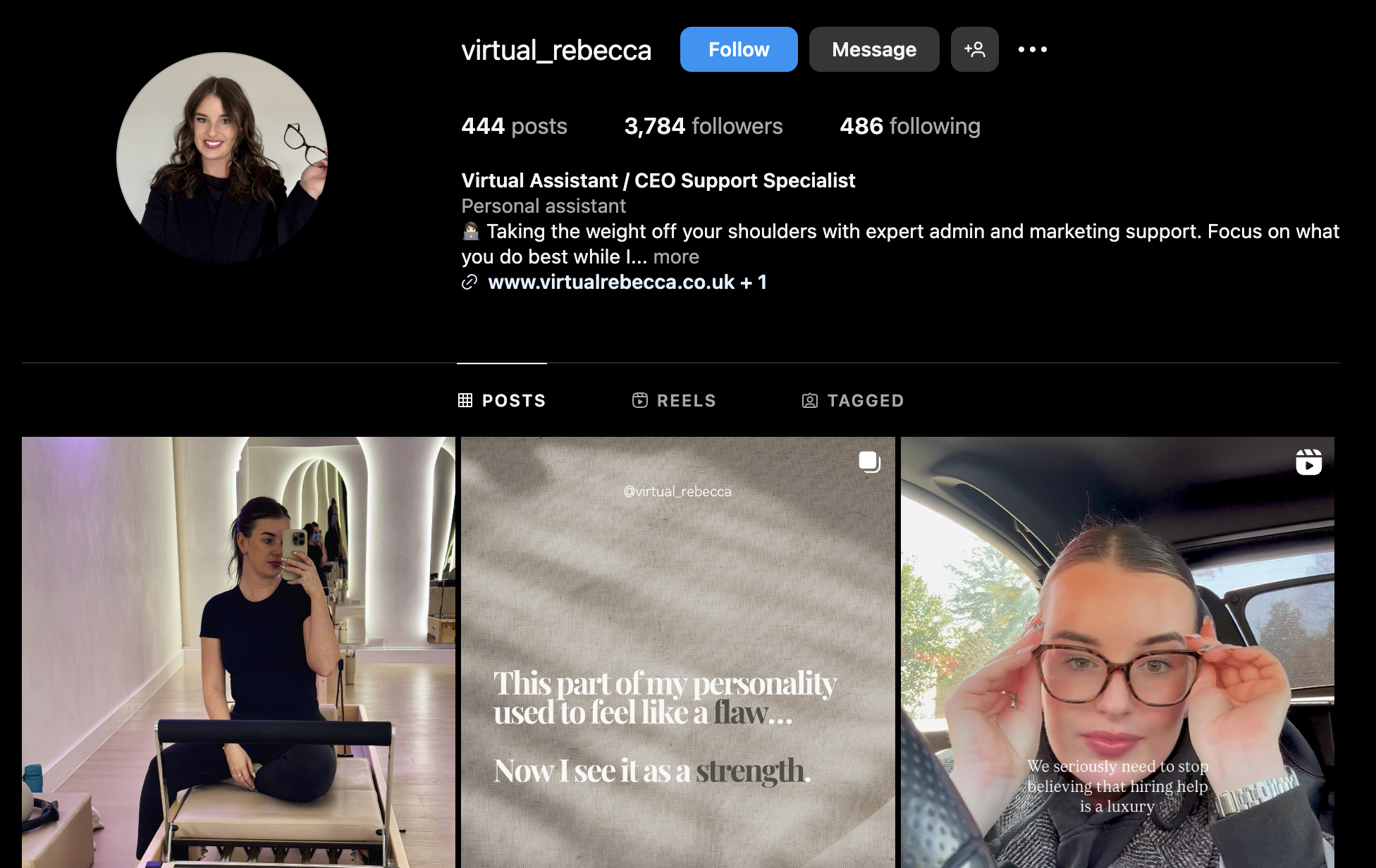
When someone in your niche engages with a post, don't be afraid to also follow up with a short DM. There are two ways to approach this: either immediately offer them your services or simply warm up the lead by saying hi.
Network
Attend local business events or meetups, as these often attract business owners who may need your services. And if in-person isn’t an option, join online industry groups, attend virtual conferences, and engage in networking communities.
Referrals
Consider starting a referral program and offering discounts or freebies to current clients who send new business your way.
You can also team up with complementary service providers like marketing agencies or web designers to cross-promote each other’s services.
Offer a trial or consultation
Offering a free trial is a good opportunity to showcase your value to prospective clients.
- Free trial: A free trial gives clients an experience of what your services might look like and how they could benefit. This trial could include anywhere between 1-2 hours of service, and is useful for businesses unsure about employing a VA.
- Free consultation: A free (15-30-minute) consultation gives you time to chat with prospective clients and show them what you have to offer their business. You can treat this like an ‘interview,’ showcasing relevant skills and answering any questions they may have.
- Testimonials: After the free trial or consultation, you can follow this up with an offer to help them further. You can show them success stories from previous work or testimonials provided by other clients.
Ads
If you have the budget, paid ads are great at generating leads quickly, cutting out a lot of time and effort that many small business owners don’t have to spare.
Some popular spaces to run VA ads are:
- LinkedIn: LinkedIn is primarily a business network, so it provides a good opportunity for targeting entrepreneurs and business owners.
- Google ads: You can also run Google ads that contain specific keywords potential clients might be looking for, such as ‘virtual assistant for small business,’ as well as a list of specific services you have on offer, such as ‘administrative support.’
- Facebook ads: Another popular choice, Facebook ads offer a cost-effective way to reach a highly targeted audience. You can pinpoint specific clients according to demographics, interests, and behaviors, and do so with a relatively flexible budget.
You can run ads on networks like Meta directly from your Whop account with Whop Ads, funded from your balance, with no setup fees, monthly fees, or minimum spend.
Keep the clients you win
Being easy to work with is one of the #1 ways to win clients as a contractor. The better your service, the likelier you are to keep your clients for a long time.
Globaltize's advice to VAs who want to succeed is:
"First, learn how to use AI tools effectively, as they're becoming essential in almost every role. Second, develop strong communication and accountability habits, including daily check-ins and updates, and third, specialize in a skill that businesses are actively hiring for."
— Globaltize Recruitment Team
Daily updates are essential for VAs, and they don't have to be long. Send the client a quick message at the end of your day and inform them what you did and what remains for the following days.
Beyond that, don't be afraid to upsell. If you can see that the client could use your help with something else, offer them ready-made solutions.
When VA relationships fall apart, it's usually for predictable reasons.
"Most unsuccessful placements stem from two areas: preventable hiring mistakes, such as inadequate screening, recruiting from the wrong region, or poorly negotiated compensation, and post-hire issues like poor performance, communication, or reliability."
— Globaltize Recruitment Team
Be the opposite of the above each time you work with your client and they will have zero reason to search elsewhere.
Set up your VA business on Whop
Building your own VA business involved a lot more time in the past. Now, all you need is Whop Blueprints.
Whop Blueprints are ready-made businesses you can copy and customize. You get to choose everything you want: the prices, the website, the payment options.
Creating your site from a blueprint takes about 10 to 15 minutes, and it ticks all the boxes. You get a portfolio, a website, and a fully ready payment system that's ready to process your first payment.
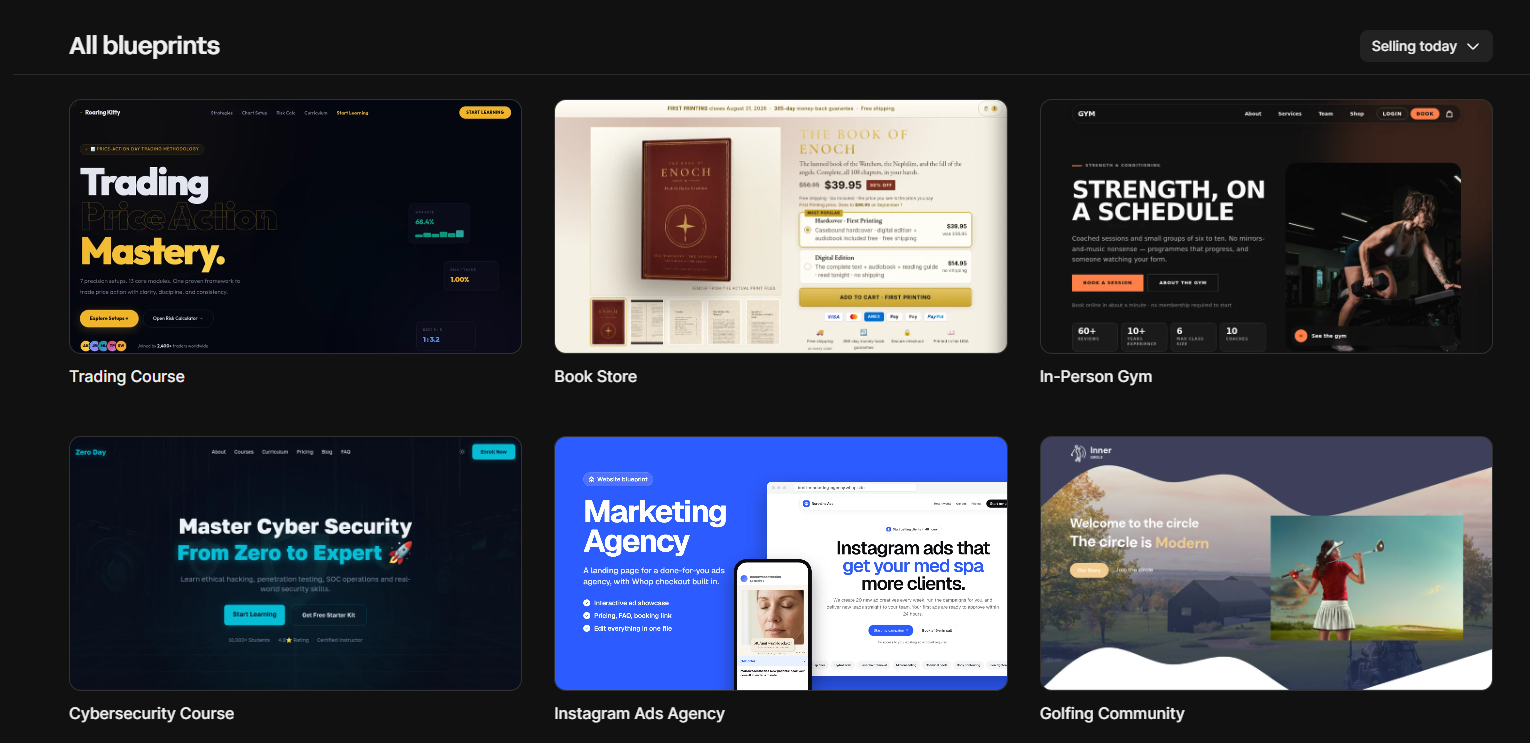
For the purpose of this article, I set up a blueprint myself. I chose the Instagram Ads Agency blueprint, knowing I could easily modify it to fit my needs.
It's built for a service business that books calls and sells packages, which is perfect for a VA business.
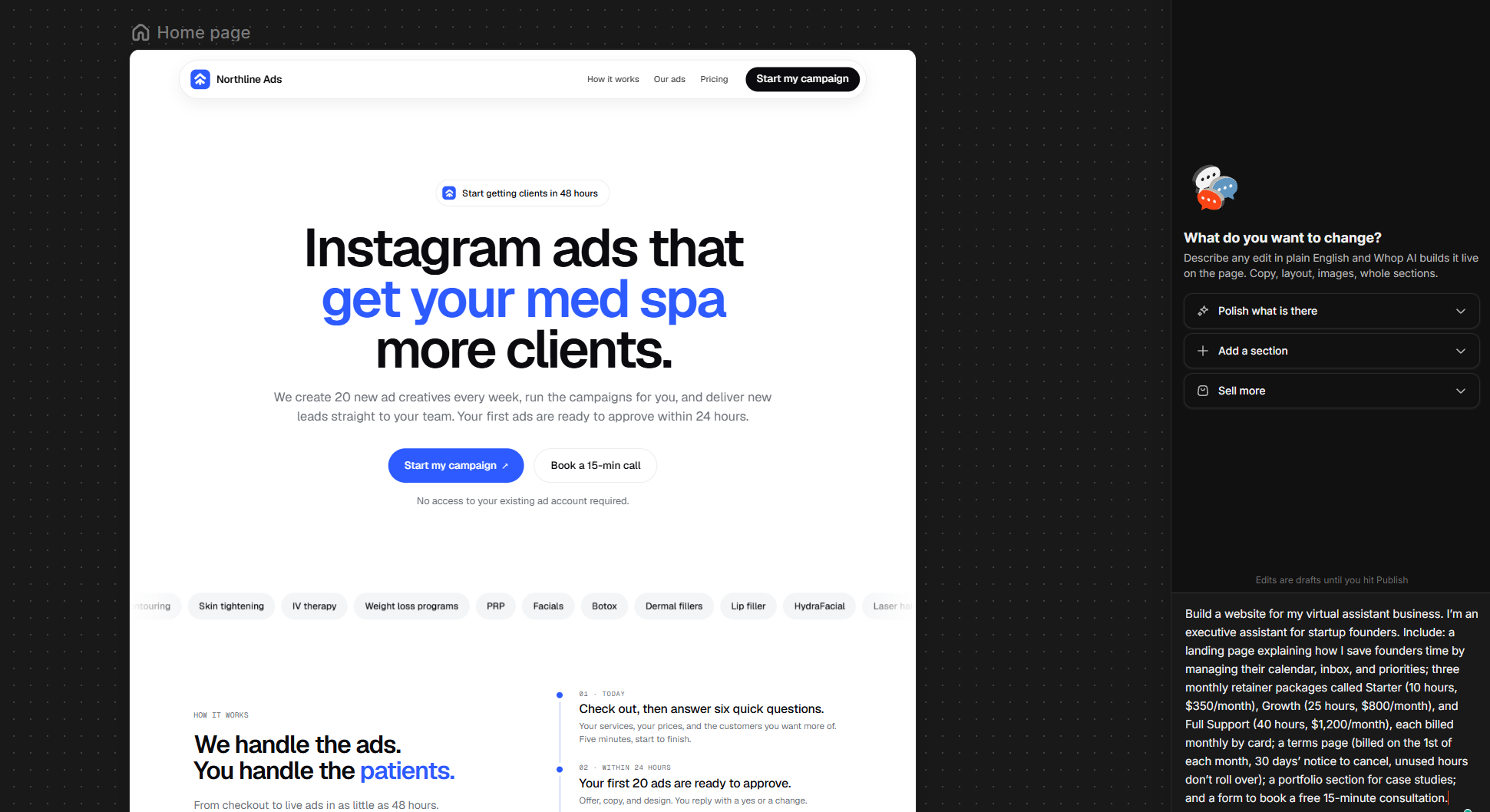
Here's how to do it, step-by-step.
- Head to Whop Blueprints and choose Instagram Ads Agency (or any other blueprint you like the look of).
- Use the Whop AI chat to tailor it to your business. My prompt covered my specialization, target audience, payment packages, terms, consultation booking forms, and even style-related choices.
- Let Whop build it. Mine took 11 minutes, and then I spent a few more minutes tweaking it with a quick back-and-forth in the AI chat.
- Click any section that needs changing and ask the AI chat to edit it. Be specific.
- Verify yourself and your business. That'll let you receive payments.
- Publish your site.
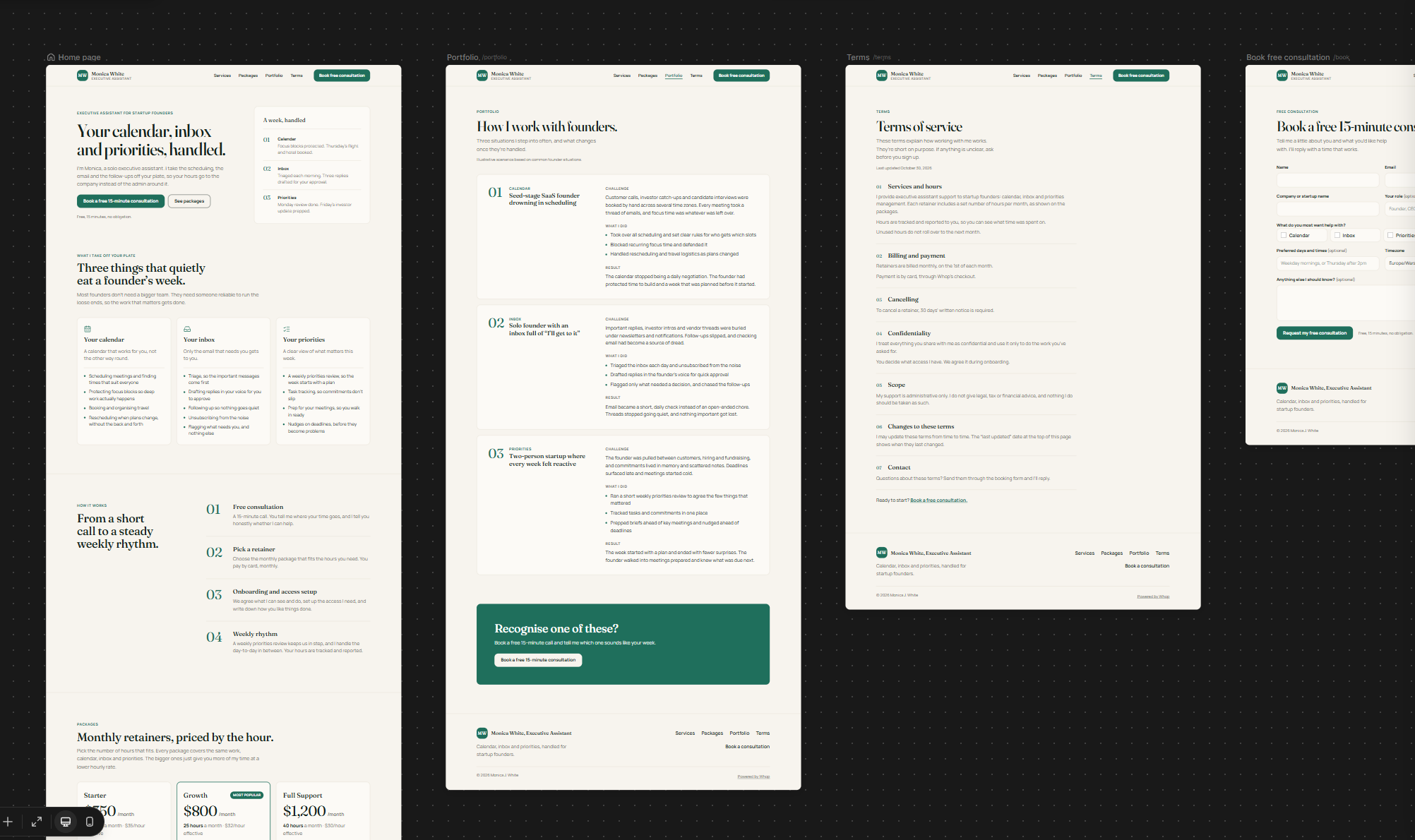
Just like that, in 10-20 minutes, you've got yourself an entire ready-made VA business awaiting your first clients.
Set up payments
The retainers we talked about previously are now monthly subscriptions, and that's easy to set up with Whop.
Each client's card is charged automatically on the same date. You can turn on billing automation (0.5% per transaction) and Whop handles the invoices and everything around them for you.
For bigger retainers, ACH bank payments are a great option. Whop charges 1.5%, capped at $5, so a $1,500 retainer still costs you just $5 instead of $41 by card.
If you do any extra work outside of the retainer, that's fine, too. You can bill that as a one-off invoice from your dashboard, found under Payments > Invoices, and it'll be charged to the card your client already has on file.
When you're ready to get paid, withdraw your earnings to your bank or keep them in your balance with Whop Cards.
Go bigger: Build your own VA marketplace or agency on Whop
If there's one major problem with being a virtual assistant, it's scalability.
There are only so many hours in the day. AI will help you juggle multiple clients and scale your income, but only to some extent. There will come a time when you won't be able to onboard any new clients, and replacing existing clients with new, better-paying ones takes time.
So, instead, you could go bigger. Build your own VA agency or marketplace instead.
With this, you'll bring in other VAs and take a cut of their work. That's exactly how Globaltize works: it recruits and screens VAs, matches them with clients, and pays them out.
Globaltize runs that model on Whop. It collects client payments and pays its international talent without any friction. Cross-border payments require a whole infrastructure, and Globaltize didn't have to build any of it. Instead, its experts focused on what they do best: evolving the business.
Each VA gets a connected account on your platform. They don't have to interact with Whop; everything happens on the same platform thanks to Whop's embedded components. When a client pays, their share gets routed to them automatically.
Whop pays out to 195+ countries, including transfers to local bank accounts in the VA's own currency. It's a great way to make sure everyone is paid in a timely manner in the way that works best for them.
It's the ultimate way to take your VA business to the next level.
Start your VA business with Whop
The job of a virtual assistant has evolved a lot over the last few years. Earning money online has evolved, too.
To earn good money, you'll embrace AI and specialize. You might even become the employer and start your own agency.
But to accept those earnings and distribute them among such a globalized workforce, you need a payment infrastructure. That's where Whop comes in.
Accept payments, set up retainers, send invoices, and build your business from scratch in 10 minutes.
FAQ
How much money can I make as a virtual assistant?
Average VAs in the US earn $50,749 per year (ZipRecruiter) or $24.40 an hour. Top earners make $65,500. Experienced freelancers in North America charge an average of $18 to $35 on Upwork. Globaltize sees offshore VAs earning $5 to $12 an hour.
Do virtual assistants need AI skills?
Yes, increasingly, they do. Globaltize says AI proficiency is now almost a requirement for many VA roles. Many clients test for AI knowledge, and automation helps VAs with their daily work.
Are virtual assistants contractors or employees?
Most freelance VAs are independent contractors. They invoice their clients, pay their own taxes, and often fund their own tools and subscriptions. Companies that hire full-time VAs often hire through an employer of record (EOR) to be able to hire from overseas.
Can a virtual assistant be a side hustle?
Yes, absolutely! A 10-hour monthly retainer fits around a full-time job, and you can scale it up or down as needed to fit your lifestyle. Check your employment contract first, as your full-time job may restrict you from picking up a side gig.
Are virtual assistants still in demand?
Virtual assistants are still in demand, but that demand has shifted. According to Globaltize, clients increasingly want specialized, client-facing VAs. Those VAs now take on more complex tasks, such as executive support or onboarding new customers. Basic admin work is increasingly automated with AI.