Kajabi and Teachable are two powerful platforms for course creators. Read this comparison review that outlines the features, pros and cons of each - and introduces a third, exciting option for selling your course.
Key takeaways
- Kajabi suits creators wanting an all-in-one business platform with marketing, websites, and automation built in.
- Teachable is ideal for budget-conscious creators focused purely on course creation and 1:1 coaching delivery.
- Choose Kajabi ($149+/month) for comprehensive business tools, or Teachable (free-$39+) for straightforward course selling.
Online coaching and teaching is a rapidly growing industry, and with so many coaches competing for people's business, it's vital to choose the right course management platform.
Today, users expect a smooth, polished, and fun experience when they sign up for online courses. If your chosen learning platform is slow, confusing, or not designed with both desktop and mobile devices in mind, you run the risk of poor reviews and dissatisfied customers.
Kajabi and Teachable are two popular platforms for hosting online courses and allowing coaches to interact with their clients. But which is best? Here, we break down the experience, pricing, pros and cons of each.
Kajabi & Teachable
Both Kajabi and Teachable are course-building tools that help coaches and teachers create and sell training materials. Unlike general course platforms such as Coursera, Kajabi, and Teachable allow users to sell courses on their own websites, where they have control over the branding.
The feature sets of the platforms differ quite significantly, however. Teachable's focus is primarily on creating and selling courses and digital downloads, while Kajabi aims to offer a more comprehensive set of features for running an online content-focused business, going beyond simple courseware offerings.
What is Kajabi?
Kajabi is an all-in-one platform for online businesses and content creators. It includes many useful features for email marketing, sales funnels, blogging and building websites, in addition to the course creation part of the platform. It also offers automation features to save you time on administrative tasks and help you scale your audience of students more effectively.
Given the breadth of features, it would be easy to assume that Kajabi is limited in terms of course-building capabilities, but this isn't the case. The learning platform side of things is impressive, with gamification features to help keep learners motivated.
Who can use Kajabi?
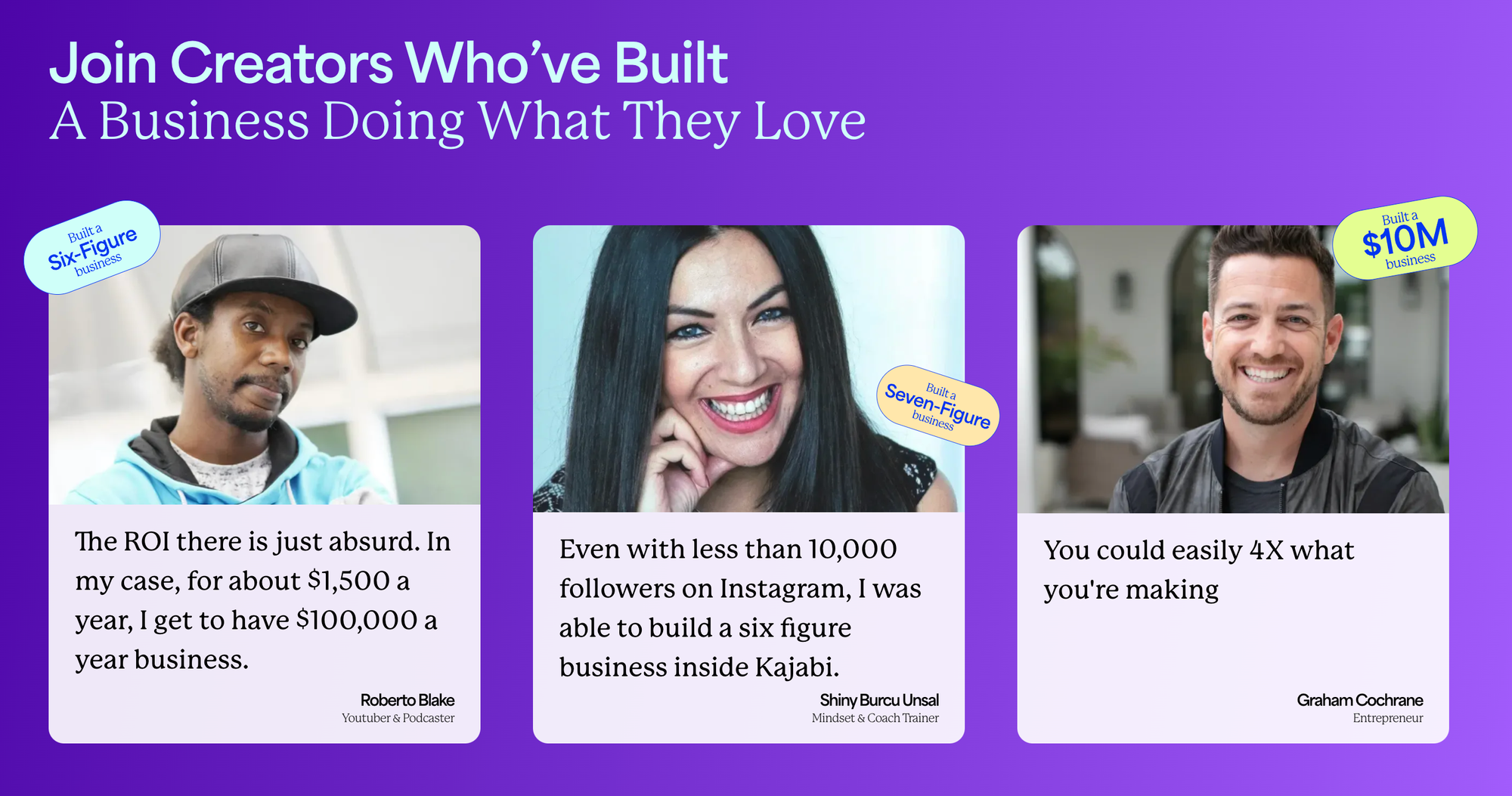
Kajabi can work well for coaches, teachers, and community leaders. Rather than being a pure course creation platform, it offers a lot of tools for helping people monetize communities in many forms. If a large part of your business comes from interacting with your audience, Kajabi could suit your needs.
Some examples of online business owners who have been successful with Kajabi include "Tokini Andy", who turned his popular Japanese lessons on YouTube into a 6-figure membership business, and Katt Weaver & Katie Dunn of "Power to Pitch", who earned more than $250,000 in course revenue with their pitch and fundraising-related content.
How does Kajabi work?
Kajabi allows creators to sell courses or memberships. If you choose to create a course on the platform, you'll have the option of releasing the course as a single unlock, or drip-feeding the content to buyers over a set period. Sellers can also create bundles, for example giving subscribers access to courses, or offering a discount if a buyer chooses to purchase several courses at once.
Selling on Kajabi
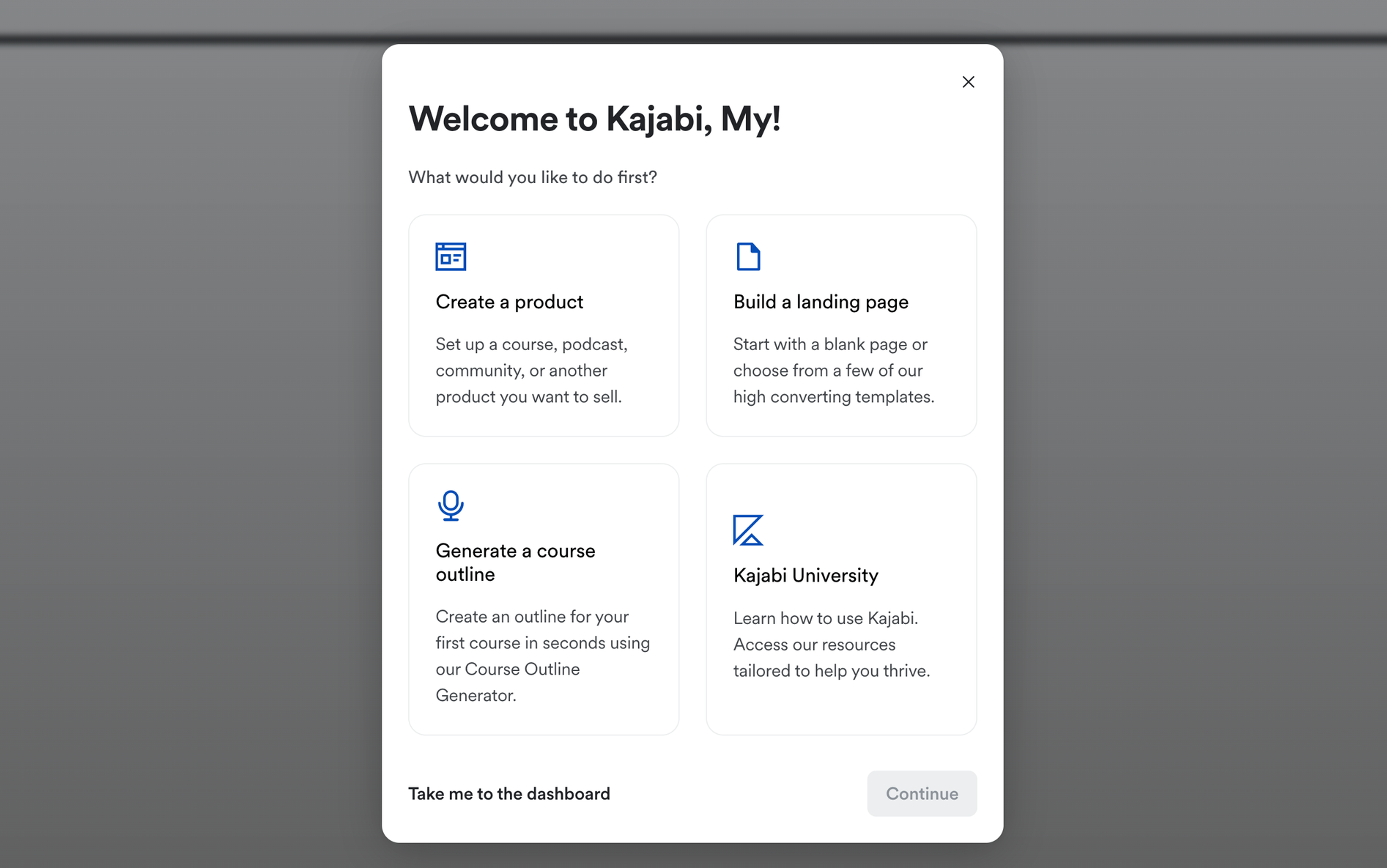
To start selling on Kajabi you must first complete the signup process. This is relatively straightforward, and it begins with you clicking 'let's get started'.
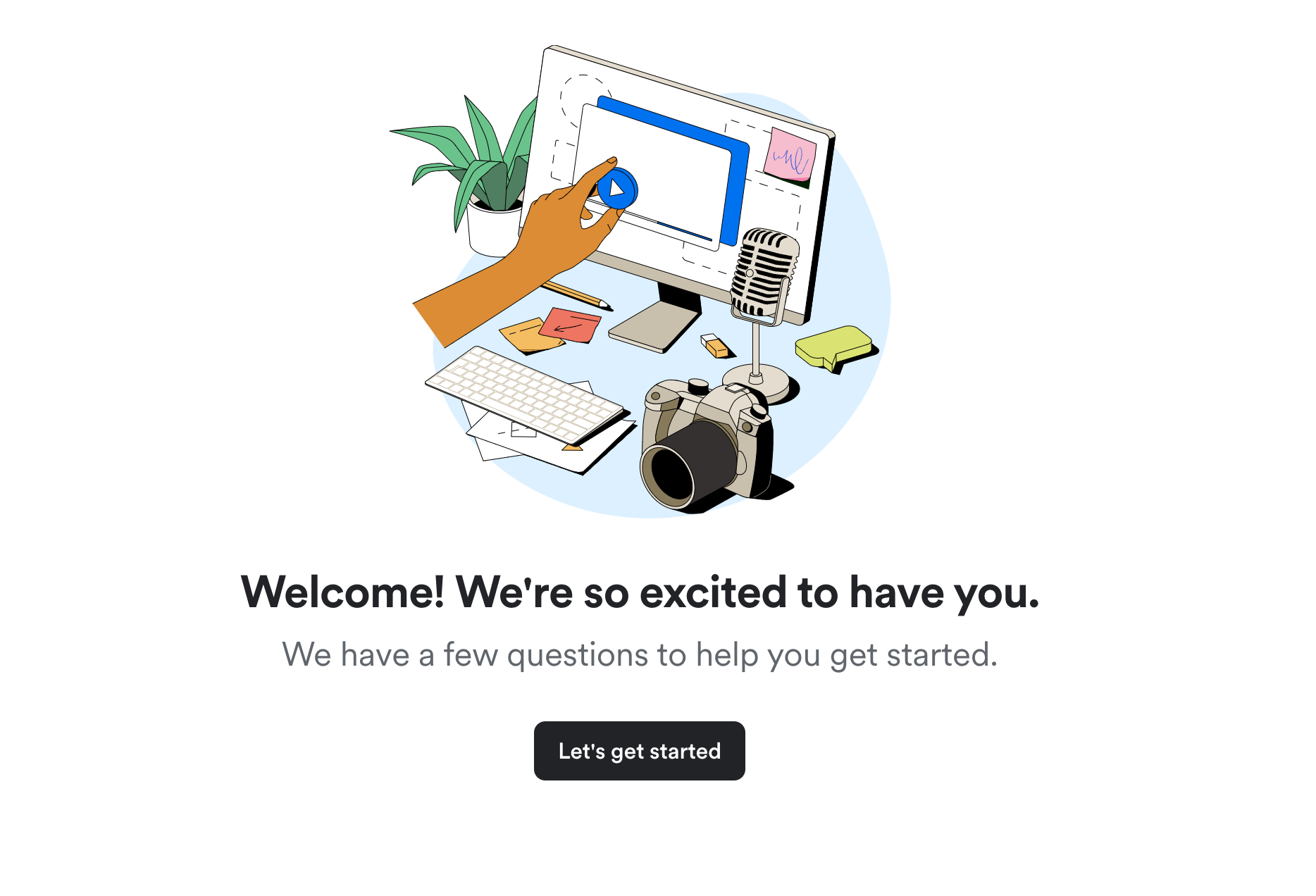
Once you have clicked through, you will be guided to answer questions on how you plan to use Kajabi. This is so that the platform can provide the best resources for your business.
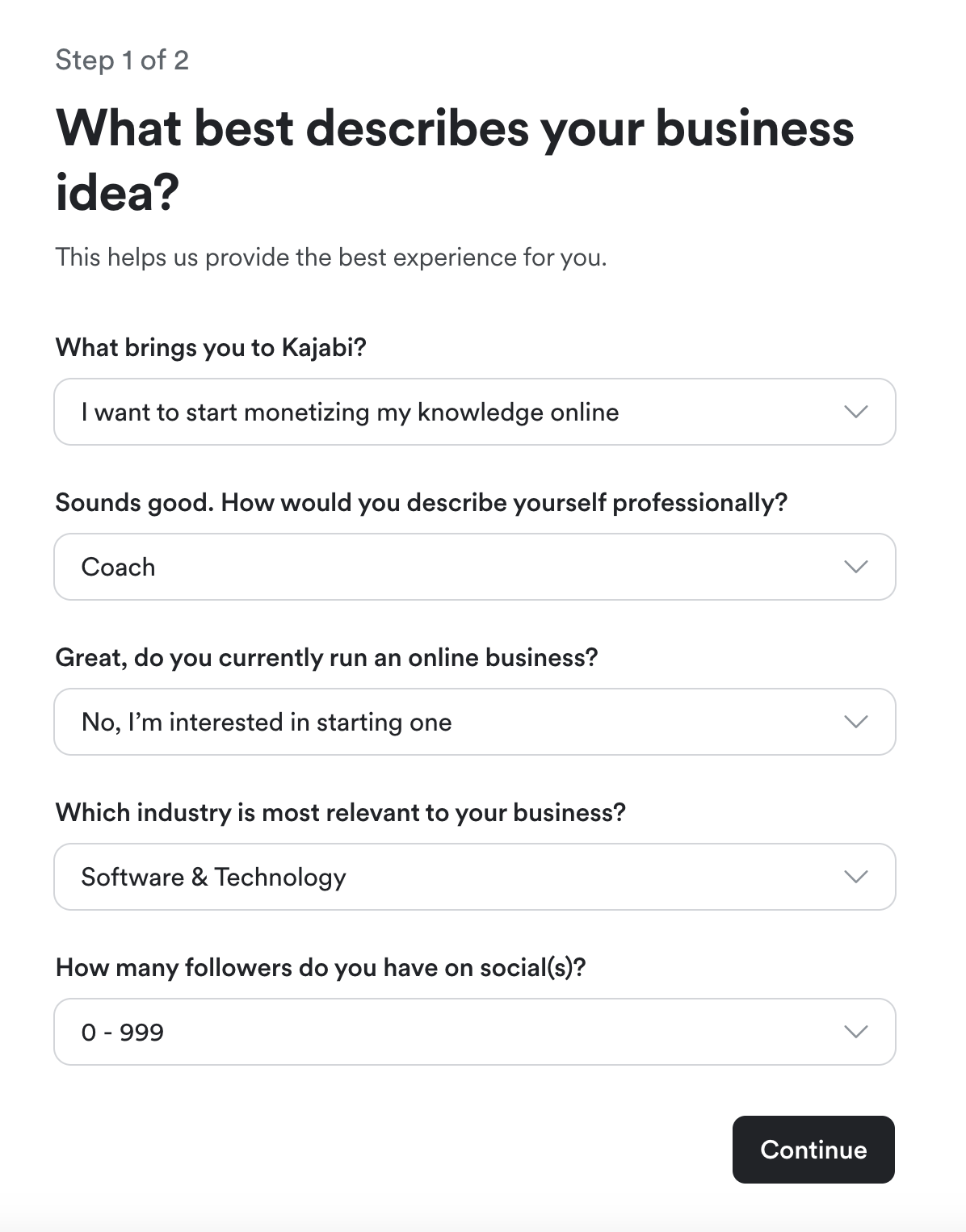
After that, you are simply led to enter your address for tax purposes, and then complete the signup. Kajabi offers a 14-day trial for free, but you must enter your card details to enroll in this free trial. Once all of this is done, you can get ready to start creating your product.
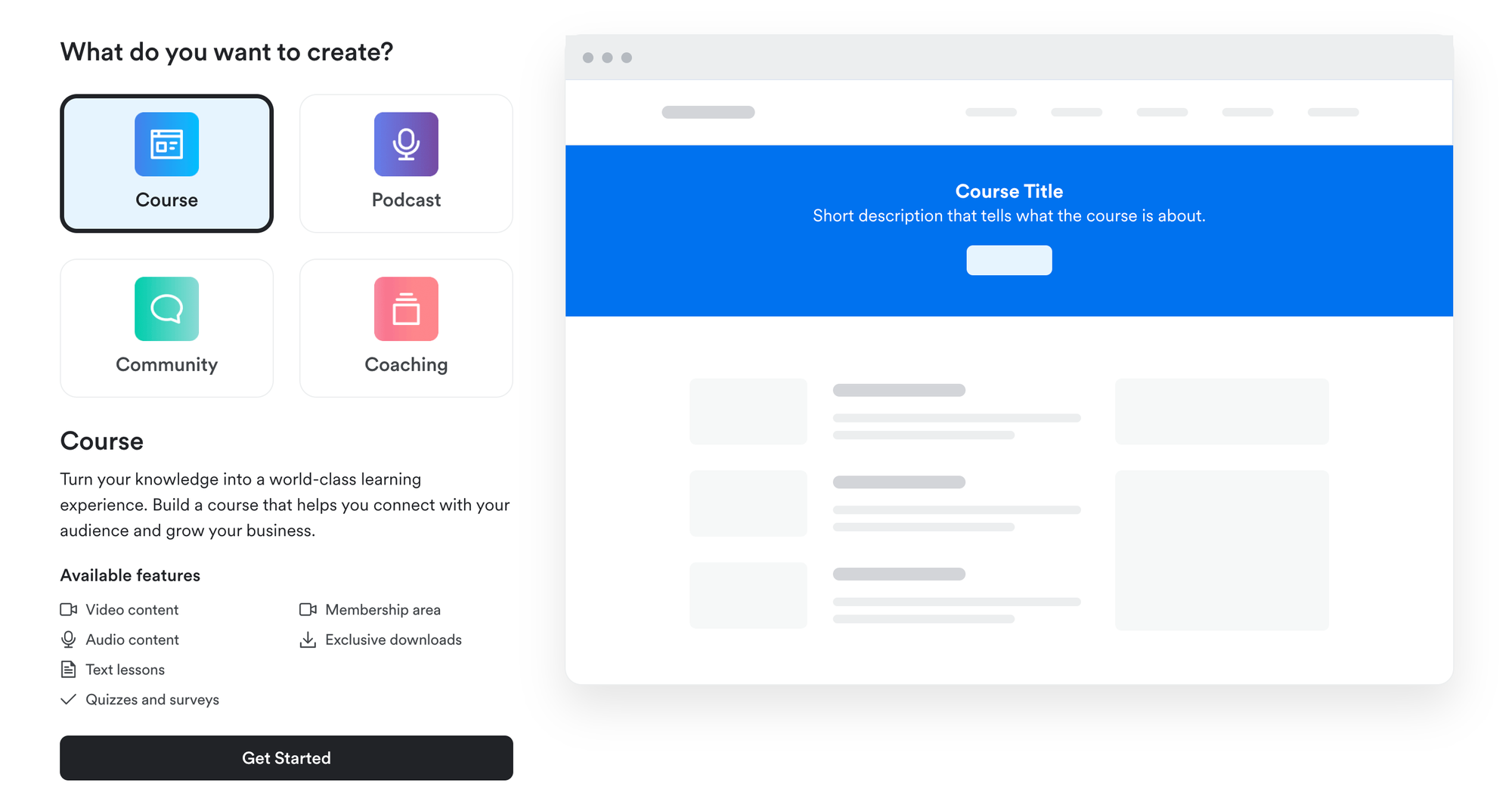
You have four options when creating a product on Kajabi, they are:
- Courses
- Communities
- Coaching Programs
- Podcasts
You can add products using the Product tab on your dashboard. Simply select the product type you're interested in offering, and click Get Started. Let's assume you're making a course.
There are two options for course creation - 'create a product' and 'generate a course outline'. Let's start with the 'create a product' route.
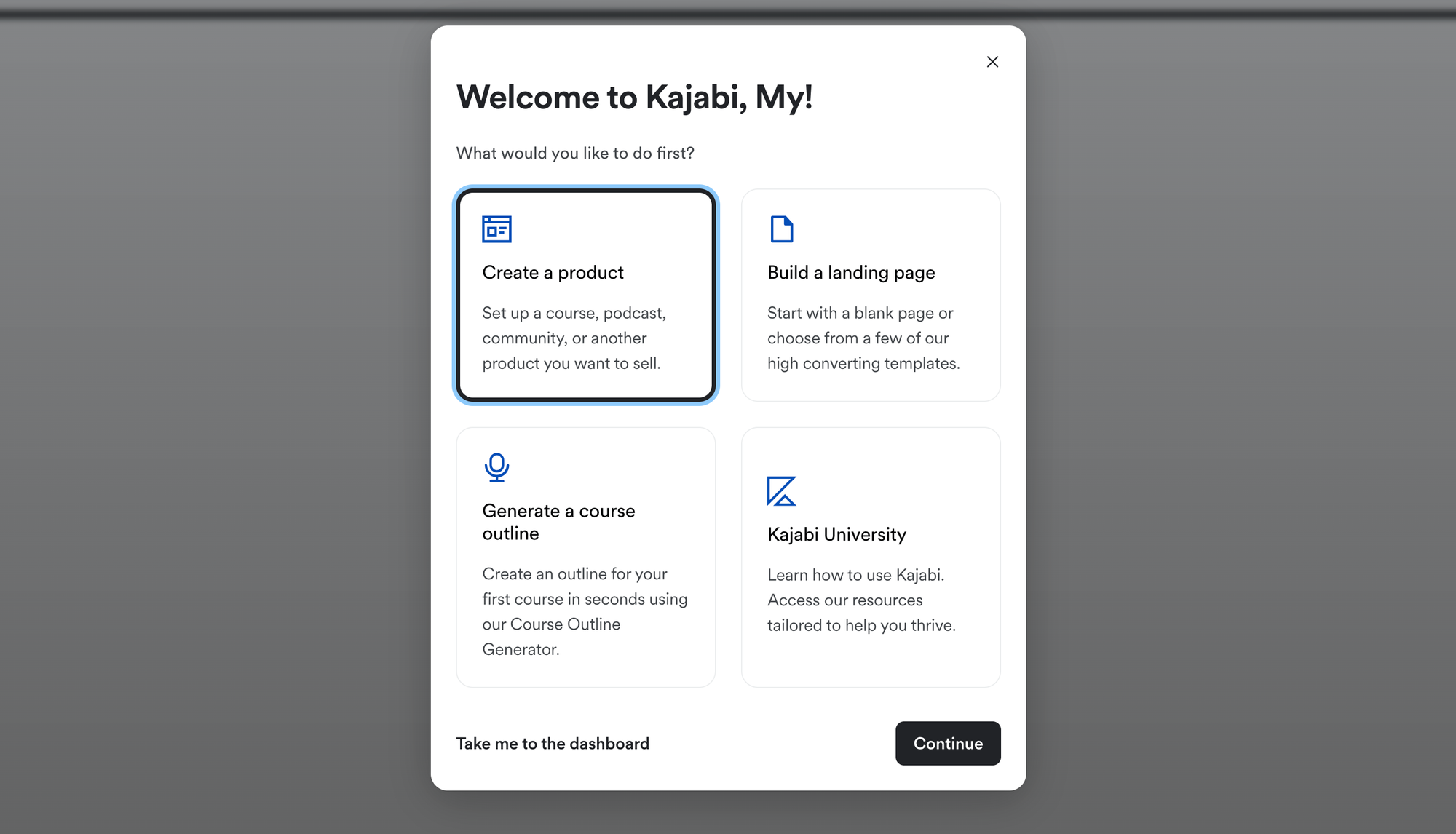
You'll have to enter a title and description, then upload an image for the product thumbnail. Finally, you can select whether the course is free or paid, and how much the course costs for paid products, as well as which payment processors you'd like to use.
Once you've set up the product offer, you'll be taken to the course editor. The editor is currently in Beta Testing, and new features are slowly being rolled out to creator accounts. Due to this testing, individual creators may see different options and layouts on the Kajabi Course Creator UI.
The second way to create a course is with the Kajabi AI course creator. For this option, select 'generate a course outline'.
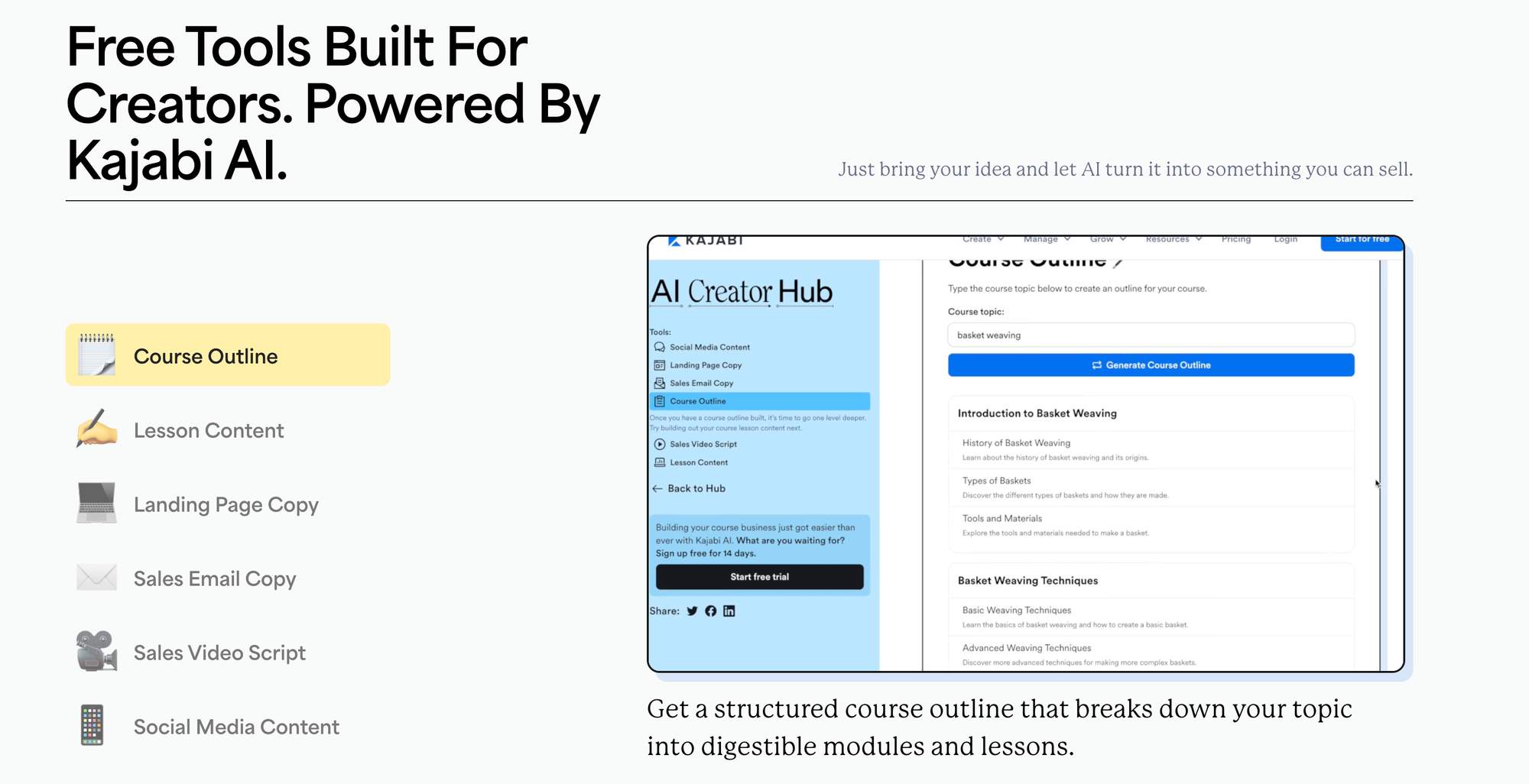
All you need to do with this tool is type in what your course is about and the AI will do the rest!
Overall, using Kajabi to create a course is easy, and the platform clearly guides you through the process.
Platform customization
You can customize the structure of their courses and upload images or videos to go along with them. You can also change the colors of your course. Plus, you can split their courses into modules, decide on the number of lessons you would like to run, and set up quizzes too.
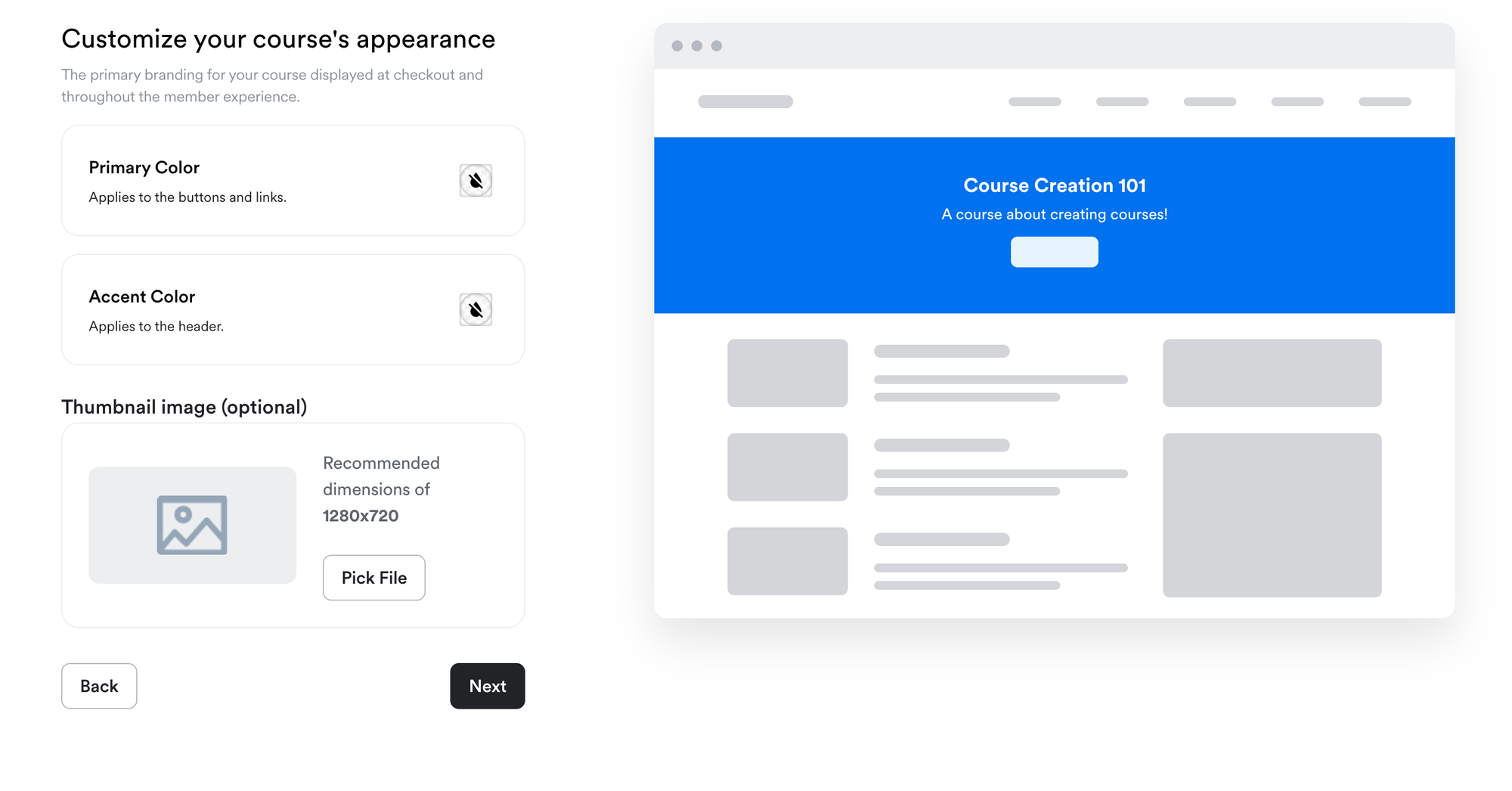
The billing options for paid courses are also flexible, with the option to charge a one-off fee, a series of monthly payments, or an ongoing subscription.
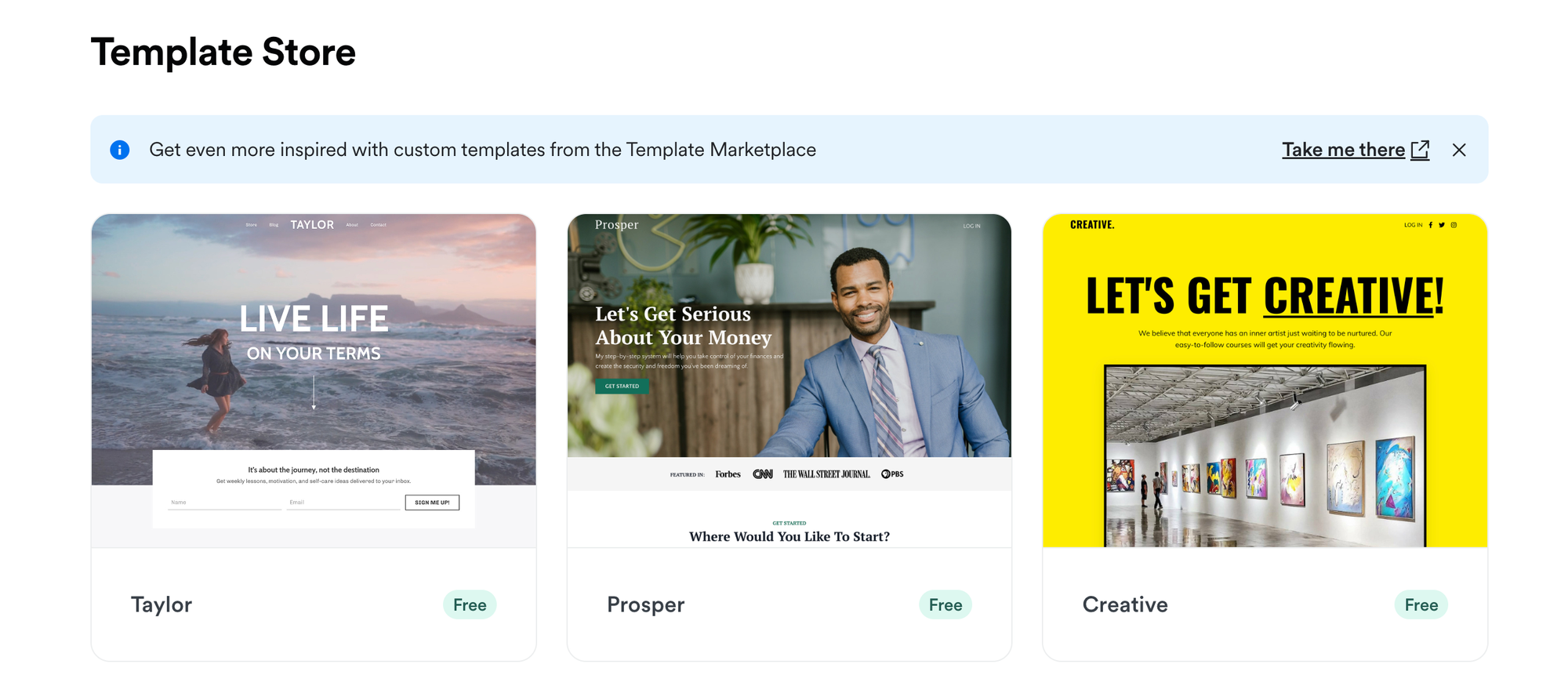
As for platform customization, you can choose how your website looks by selecting one of the 11 templates available for free on Kajabi.
If none of these are to your liking then you can also browse the paid templates.
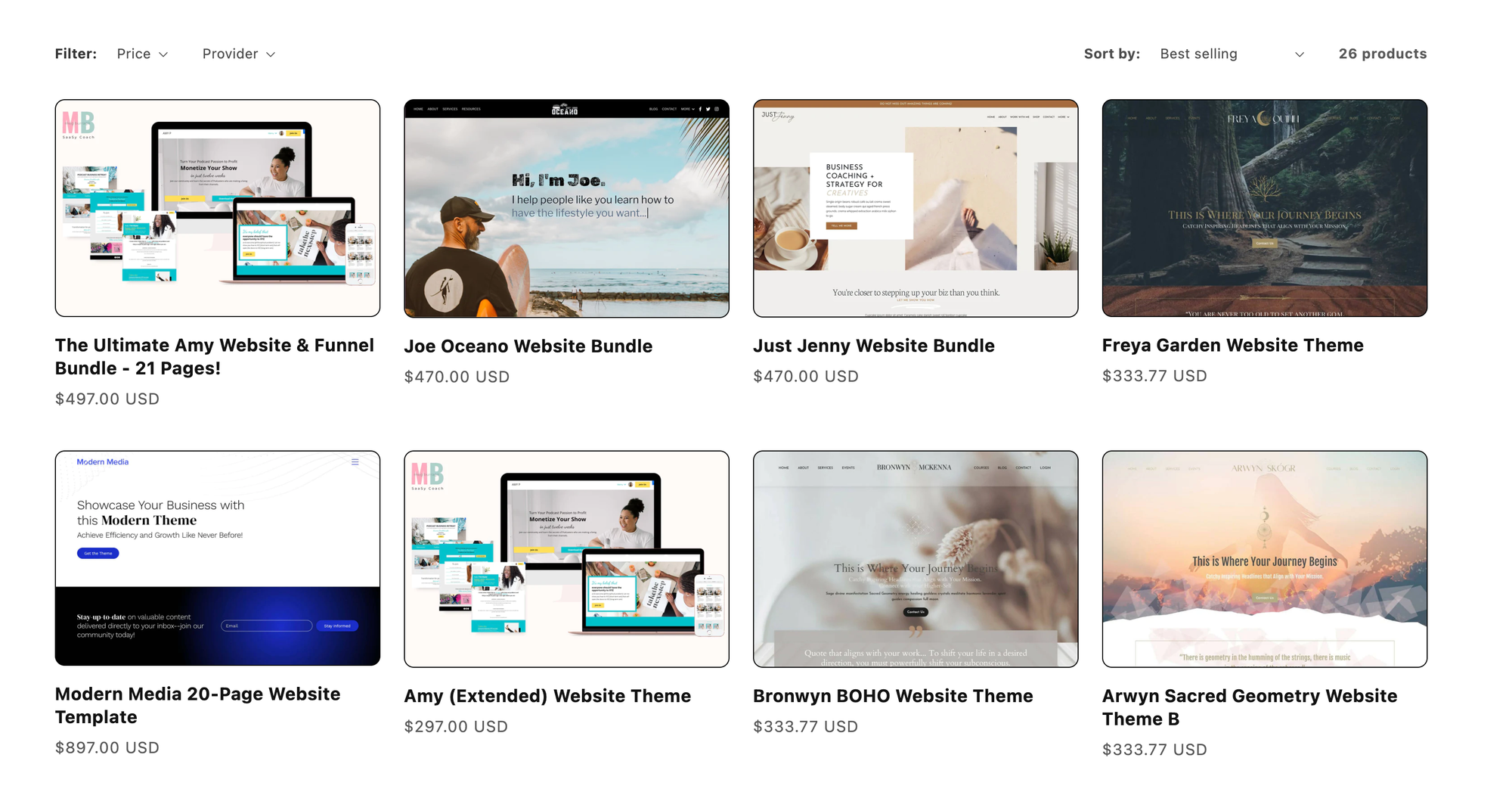
When compared to other course platforms, Kajabi offers a high level of customization, allowing you to not only customize the appearance of your course but also your storefront.
Engagement tools and customer management
The platform supports a number of third-party integrations to assist with emails and ongoing marketing, including funnels, events, and capture forms.
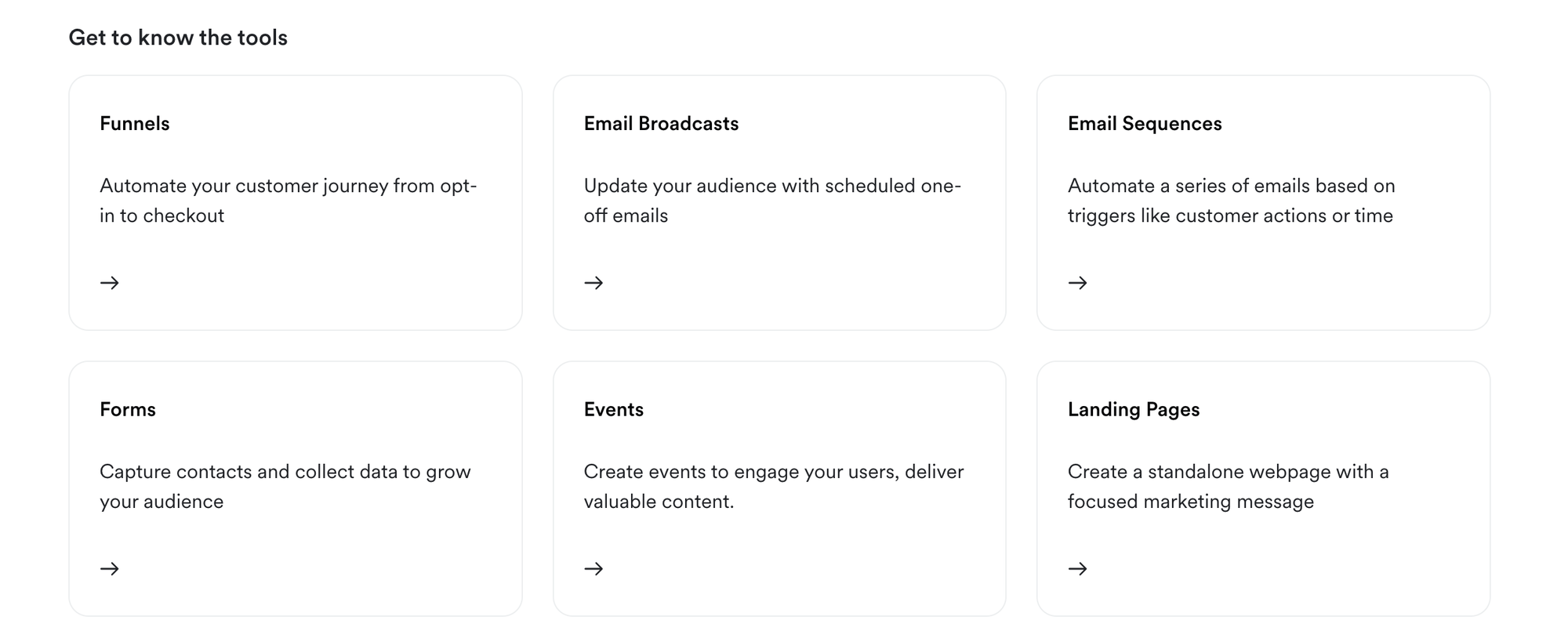
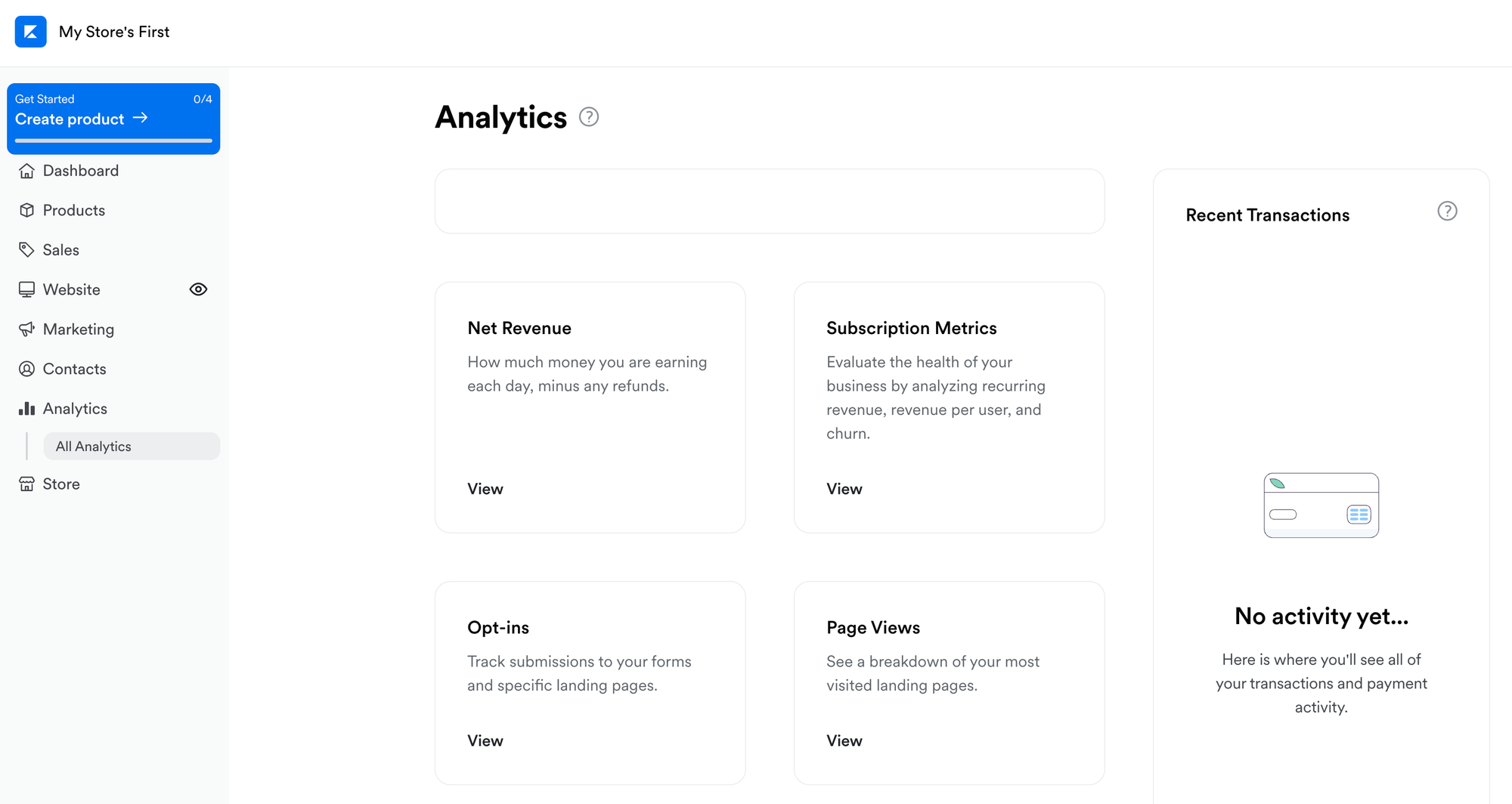
There's also a variety of built-in features to help coaches communicate with their students. The analytics hub is also a nice touch, with the Kajabi platform giving you an overview of helpful metrics such as net revenue, opt-ins, page views, affiliates, and more.
Kajabi customer support
Kajabi has a comprehensive knowledge base that includes both text-based how-tos and clear, concise videos to explain core concepts of course creation and community management.
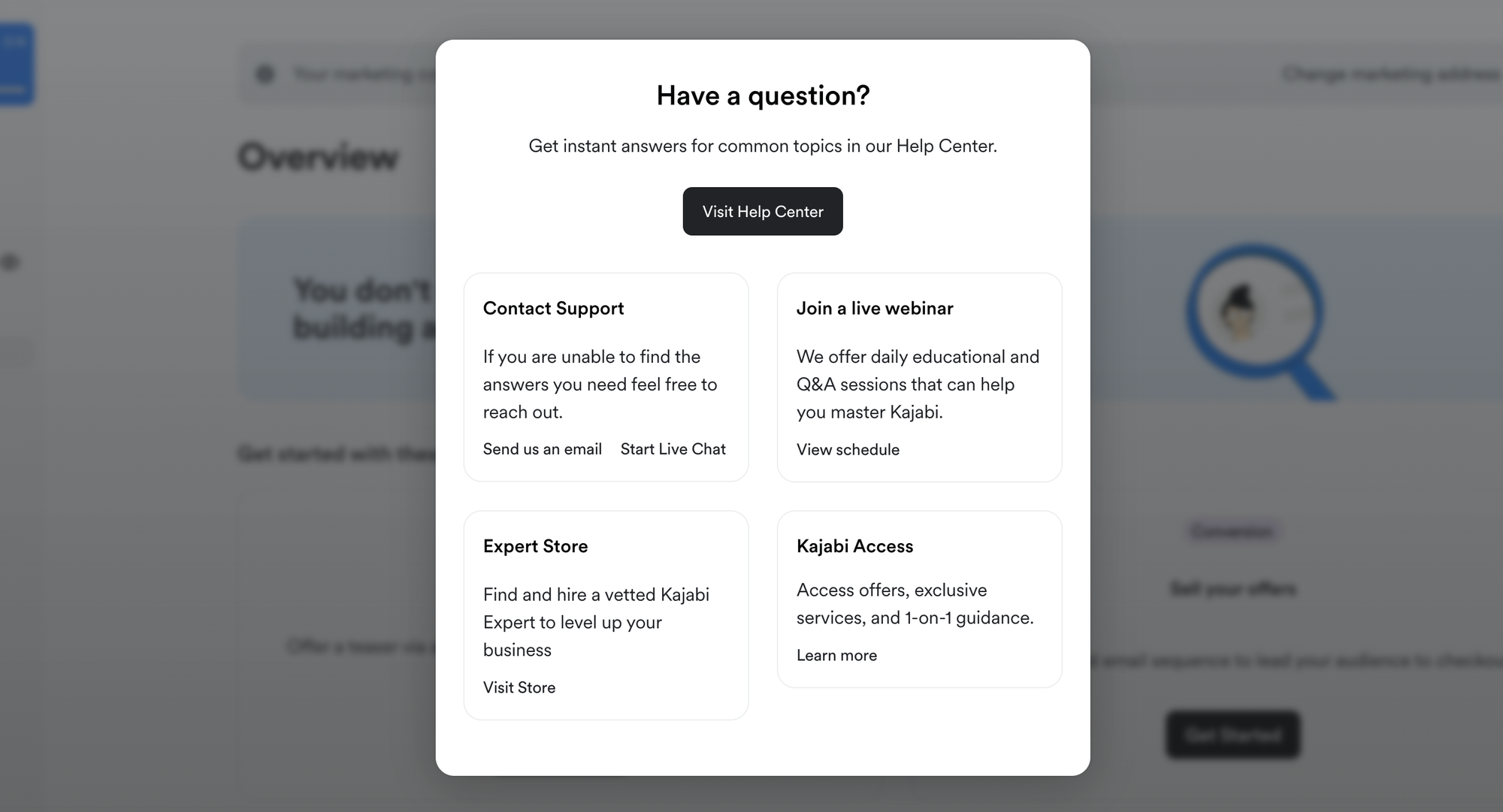
In addition to this creators can submit feature requests and raise support tickets at any time. Live chat support is available during the hours of 6AM to 5PM Pacific Time for creators on the Basic Plan, while those on the Growth or Pro Kajabi plans can take advantage of live chat support 24 hours a day.
How much does Kajabi cost?
Compared to many other course management systems, Kajabi is quite expensive. The basic membership is $149 per month, with Growth costing $199 a month and Pro costing $399 per month. There's a 20% discount on these prices for choosing an annual plan.
While these are high, many coaches consider them to be worthwhile, as the platform is a good all-in-one marketing system, and those who are currently subscribed to numerous third-party services may be able to save money by using Kajabi as their primary system.
What is Teachable?
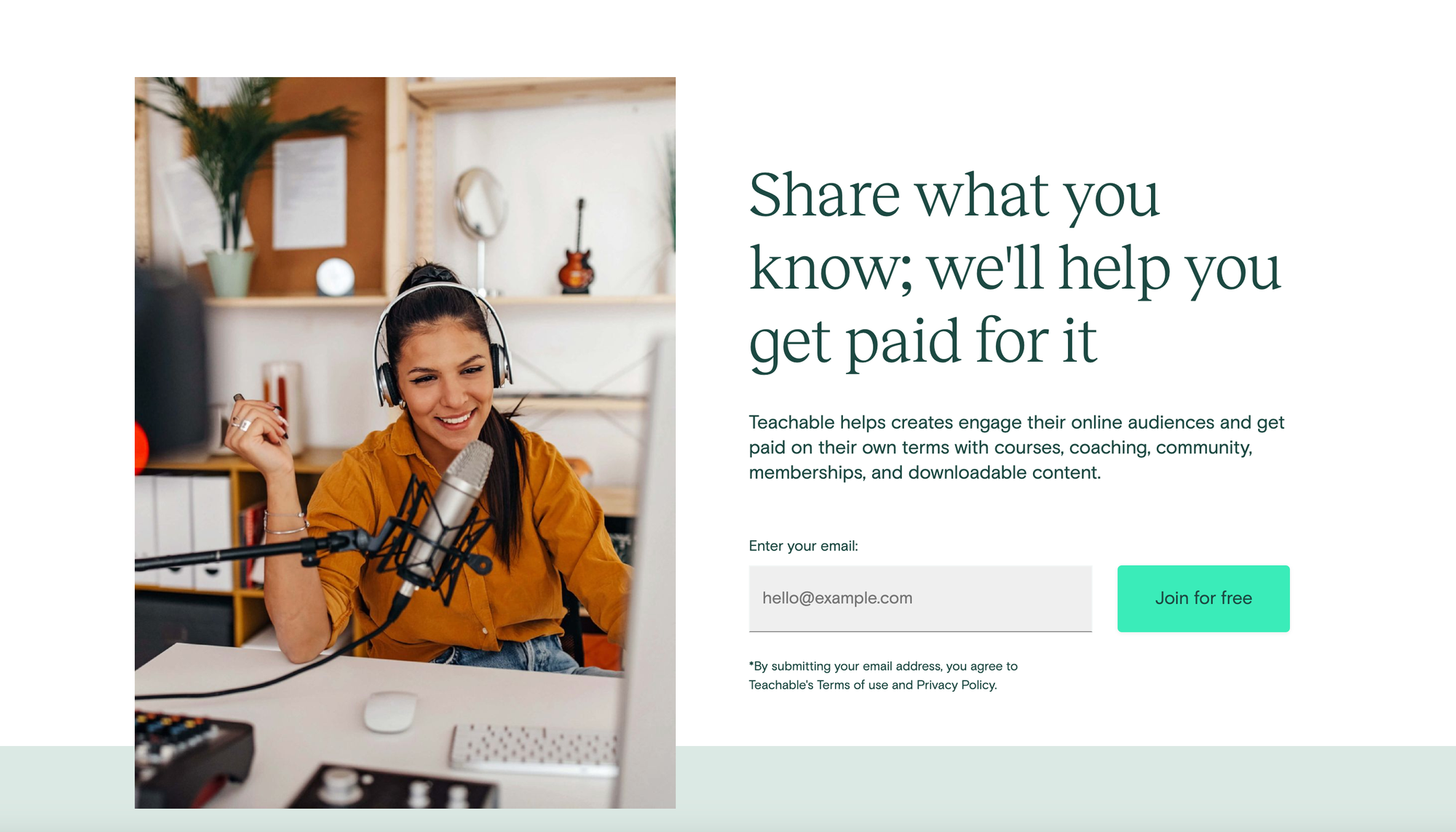
Teachable is a platform for coaches and educators to sell their online courses. Compared to Kajabi, it has a much narrower focus. It doesn't try to be a one-size-fits-all online business platform. With that said, it excels at its core focus of online courses for group and 1:1 coaching delivery, offering an easy-to-use lesson builder and good student-level analytics.
Who can use Teachable?
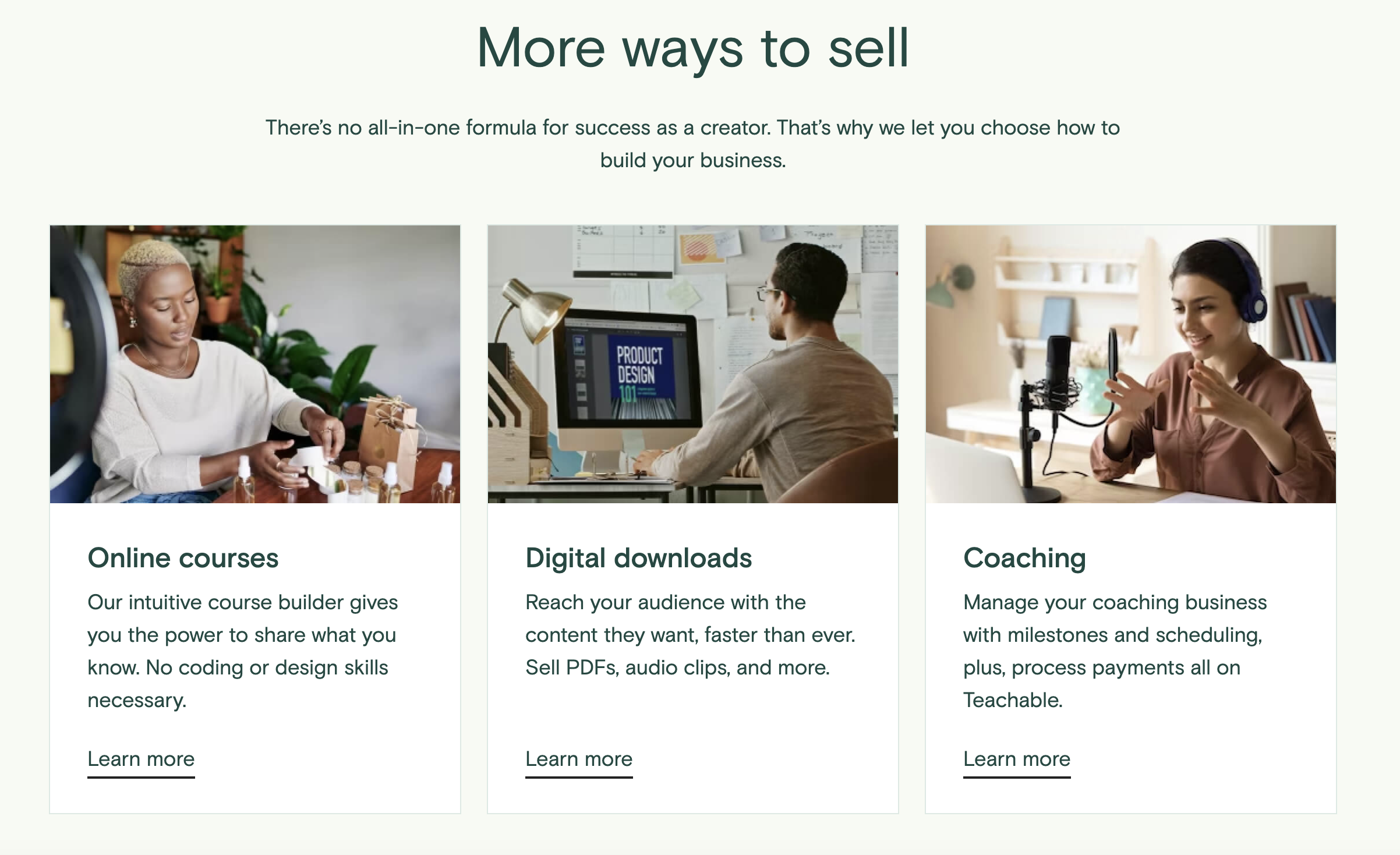
Anyone who wants to offer online courses or engage in 1:1 coaching could benefit from using Teachable, in addition to anyone who wants to sell digital downloads like PDFs and audio clips.
The platform is affordably priced, supports both live courses and pre-uploaded content, and allows creators to accept an unlimited number of students for both self-paced and live courses.
How does Teachable work?
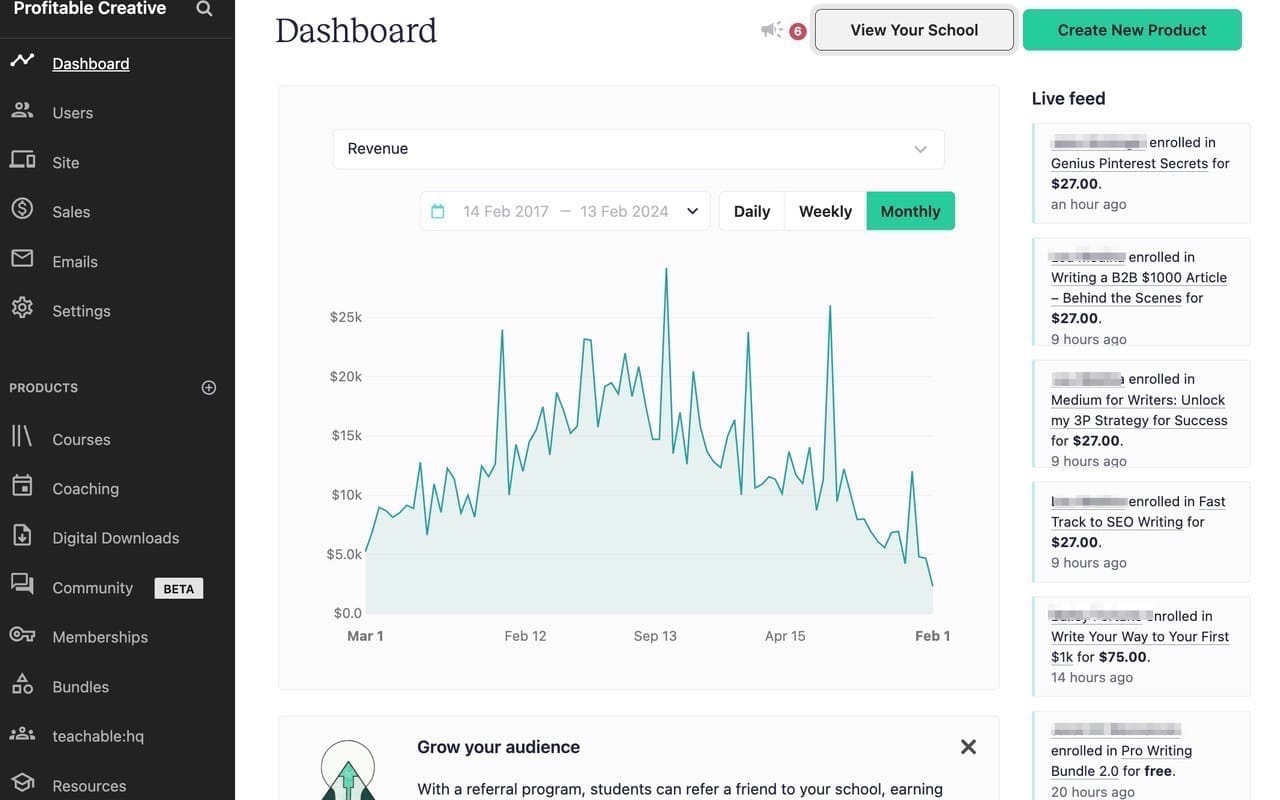
Teachable allows creators to publish courses broken up into modules and lessons. It also supports 1:1 coaching, and coaches can have an unlimited number of students.
Selling on Teachable
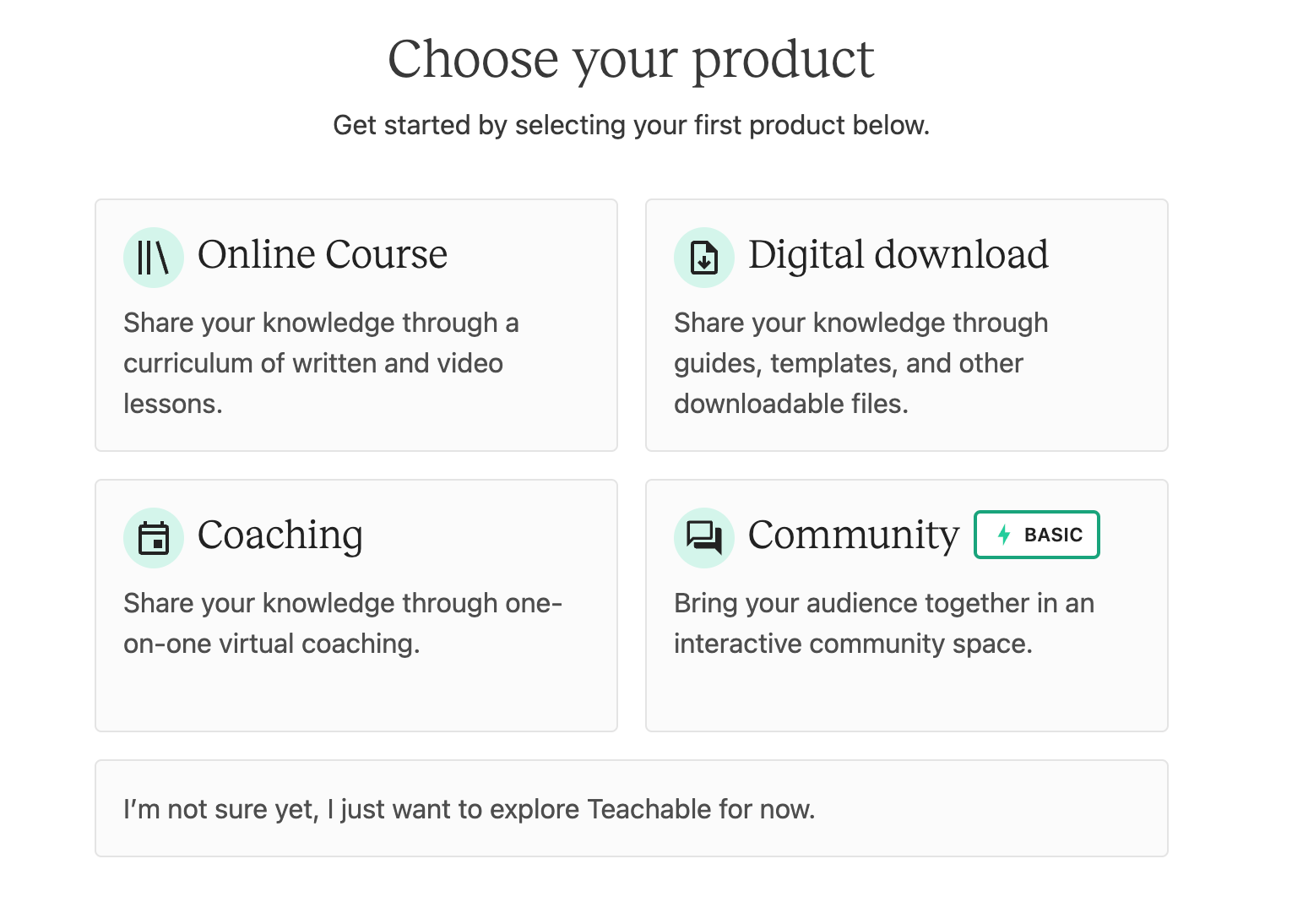
Getting started on Teachable is easy. Simply sign up for an account with Teachable, select Create a Product, then choose Course. Add a title, subtitle, and author name. You'll then be taken to the course editor, where you can define all or part of your course.
There's no obligation to create the entire course all in one go. Since Teachable allows creators to run courses that are drip-fed, you can create the first couple of modules and put the course up for sale, then add future modules later.
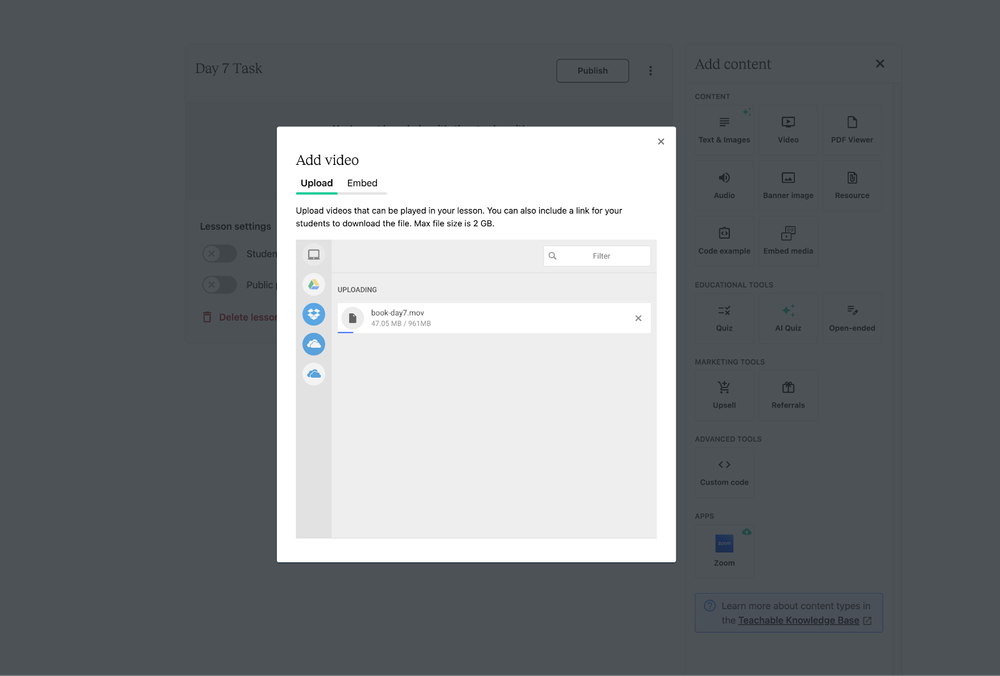
The course editor is quite powerful, supporting text, images, and video content, as well as quizzes, code examples, and more.
Once the course is ready to share, you can configure a sales page for it. This is the page prospective customers will see. Add images and content to describe the course. Teachable provides a pre-made template for the sales page, but you don't have to keep all of the widgets and blocks it uses. The sales page can have embedded videos, and it's worth taking advantage of this if your course content lends itself to videos.
Set your pricing information and decide whether you'd like one-off pricing or a payment plan. Once you've set these options you can publish the sales page, and the course is now live.
Platform customization
The customization features available depend on the tier of plan you're on. Coaches on lower-tier plans will have their content shown on a Teachable-branded page. Pro tier and above members can remove Teachable branding from their course pages.
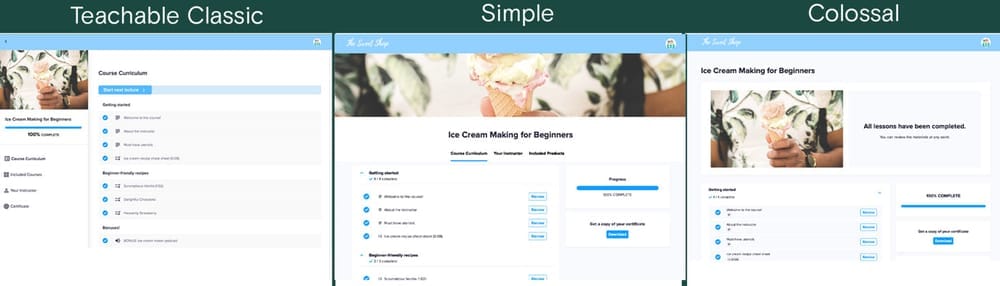
You can also make changes to some other visual parts of your site, like fonts, colors, and layout. So, you can let your brand identity shine through on Teachable.
Engagement tools and customer management
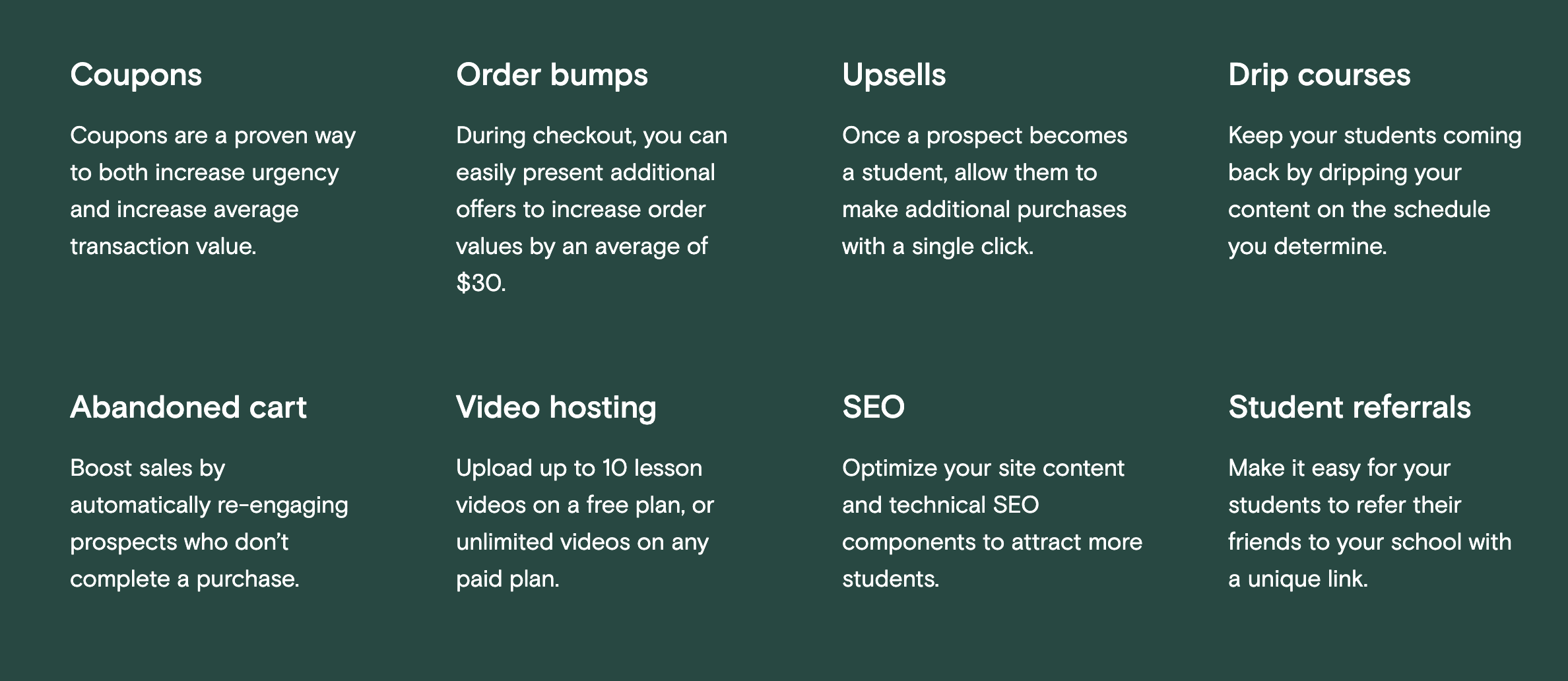
Teachable offers some powerful student-level analytics to help coaches keep track of their students. This can be useful for holding students accountable and motivating them on longer courses. There is also a large number of marketing tools to help you gain new students, from coupons to upsells, abandoned cart emails, and even SEO help.
The platform also offers comment features on courses, with comments from the course creator highlighted to make it clear to learners that they're conversing with the tutor.
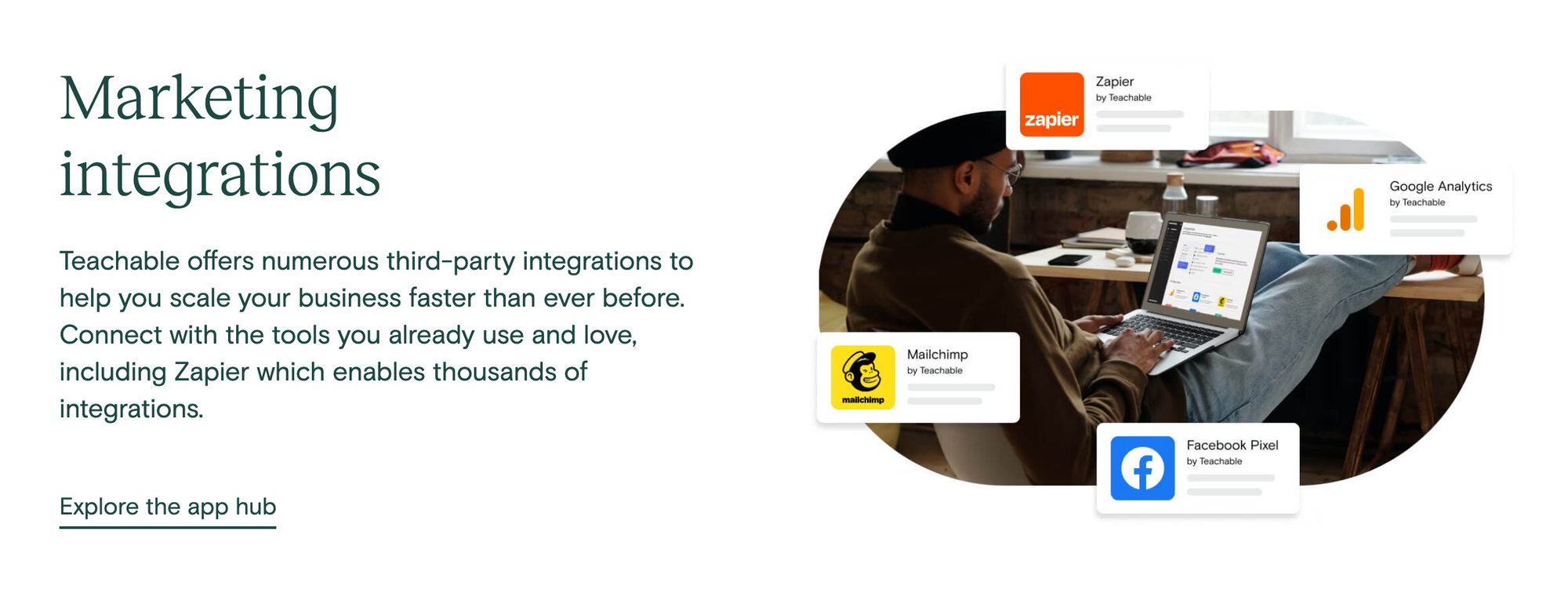
There's a built-in email feature, and the platform also supports integrations with Hubspot, Zapier, Mailchimp, and other useful third-party tools, although these features are only available for paid plan holders.
Teachable customer support
The Teachable website includes a knowledge base and some handy guides to help people get started. However, to access some of this content, prospective users must provide their email address. This may deter some people who are considering using the platform but would like to learn more about it.
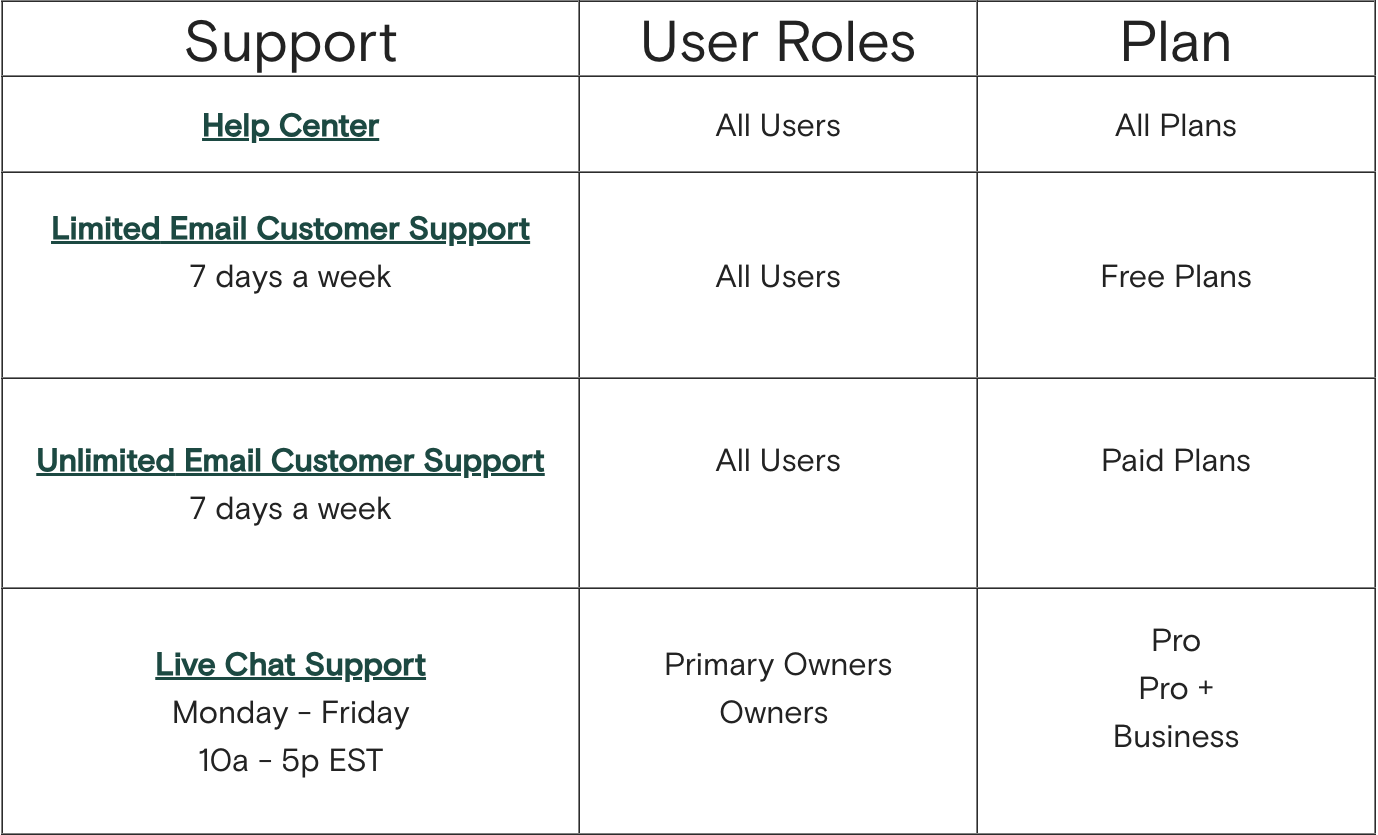
Email and live chat support is available for creators, but live chat is gated behind an expensive membership tier.
How much does Teachable cost?
Teachable's pricing makes it appealing to smaller creators. There's a free plan that allows coaches to try out the platform with no up-front costs, although the platform will take a $1 + 10% transaction fee, in addition to any fees charged by the payment processor, and not all features are available on the free plan.
The Basic plan costs $39 per month, and has slightly lower transaction fees, along with access to more features.
In addition to those low-cost plans, the platform also offers other tiers:
- Pro: $119 / month, 0% transaction fees and more features
- Pro+: $199 / month, 0% transaction fees, list up to 200 courses
- Business: $499 / month, 0% transaction fees, unlimited admins and authors, plus other business-only features
The freemium model gives creators the chance to test the platform and their courses before committing to costly subscriptions.
Kajabi vs Teachable: Which is better?
For coaches looking to sell courses without being locked in to a specific platform such as Udemy, both Kajabi and Teachable have a lot to offer. Teachable's freemium model may suit someone who already has an in-person coaching business, and who simply wants to test the waters with online coaching. In contrast, Kajabi's comprehensive feature set makes it ideal for those looking to grow a broader online business.
Advantages of using Kajabi
- All-in-one online business platform
- 24/7 live chat support
- Gamified features for your courses
Disadvantages of using Kajabi
- High monthly fees
- Limited student analytics
- Fewer payment processing options than Teachable
Advantages of using Teachable
- Test the system with the free tier
- Payment fraud protection built-in to the platform
- Tax handling for users in the US and Europe
Disadvantages of using Teachable
- Fewer site-building and marketing features
- Lacks community features
- Limited customization options
An alternative to Kajabi and Teachable: Whop
Kajabi and Teachable are great for publishing courses, but Whop is built for the business you want to grow into.
Start with a course, then expand into coaching, communities, software, or physical products, all without switching tools.
Go further still by building your own course marketplace where other instructors sell alongside you, or launching an app under your own brand.
Wherever you take it, Whop lets you accept payments, get paid out fast, and connect everything to your existing site through its API. With no monthly fees, you only pay when you make a sale.
Frequently asked questions
Can you drip-feed content on Teachable and Kajabi?
Both Teachable and Kajabi support the creation of courses with modules that are released on a set schedule, so learners can be drip-fed new lessons at a steady pace.
Does Kajabi support the issue of course completion certificates?
Course creators can design certificates and have these issued to users upon completion of the course. It's possible to set requirements, such as passing a quiz or assessment or completing 100% of the course, to have the certificate issued.







![Mighty Networks: is it the best choice for your community? [2026 review]](https://storage.ghost.io/c/12/7b/127b828b-bdc2-4972-9cf2-de857df9c324/content/images/size/w1000/format/webp/2024/05/What-is-Mighty-Networks-Features--Pricing--and-Alternatives-2024-Review.webp)

![The best online newsletter platforms [2026]](https://storage.ghost.io/c/12/7b/127b828b-bdc2-4972-9cf2-de857df9c324/content/images/size/w1000/format/webp/2024/05/Best-online-newsletter-platforms.webp)
![Top 17 best online course platforms to sell your course [2026]](https://storage.ghost.io/c/12/7b/127b828b-bdc2-4972-9cf2-de857df9c324/content/images/size/w1000/format/webp/2026/01/best-online-course-platforms_1x.webp)